Store listing text
Paste-ready text for Kalamu’s two store listings: the Microsoft Store (Partner Center) first, where 1.10.0 is live, 1.10.1 was submitted on 25 November and 1.11.0’s What’s new is ready, its certification notes below (the first version, 1.0.0, was certified on 2 November 2026), in English and French, then the Mac App Store (App Store Connect), where 1.10.1, the first version on the store, is in review (1.6.0 was withdrawn after 13 days there). The submission and update steps are in microsoft-store.md and mac-app-store.md. Check every block against the app as packaged before pasting: a listing that promises what a reviewer cannot find fails certification.
Every paragraph inside a block is one unwrapped line, because Partner Center keeps line breaks; blank lines separate paragraphs. Keep it that way when editing, and do not let a formatter re-wrap the blocks.
Microsoft’s listing field documentation allows 10,000 characters for Description, 1,500 for What’s new, and 20 features of 200 characters each. Short description accepts 1,000 characters, but only the first 270 show in some views; the one below fits. Keywords allow up to 7 entries of at most 40 characters, with no more than 21 words across all of them.
Languages. English (United States) and, from 1.5.0, French (France), with the French screenshots in store/screenshots/windows/fr/. In Partner Center, add French (France) under Store listings → Manage additional languages, then fill it from French (France) below. German follows once the interface is translated.
Before pasting, replace the provider model names if the catalogue has changed, and check that the features listed still match the app.
English (United States)
Description — full text
Kalamu is a free desktop app for researchers who work with scanned archives, handwritten manuscripts, oral-history interviews, and large text collections. Run your sources through Google Gemini, OpenAI, Anthropic Claude, or Mistral using your own API key (or work completely offline), then verify every line side by side against the original. Kalamu shows an estimated cost before sending anything; cloud usage is billed directly by your chosen provider. After a one-time download, you can also transcribe recordings with Whisper, read printed pages with Tesseract or local OCR models, and analyse texts with small language models on your PC at no cost.

Extract text from printed or handwritten PDFs and images: newspapers, archival reports, letters, registers, and manuscripts. Keep original line breaks to check line by line against the scan, or join them into running text for reading and searching. Read a folder of photographed pages from the same letter or file as a single document, in natural filename order or your own order. Before a job runs, Kalamu inspects your files and flags double-page spreads, low-resolution scans, duplicate or blurred photographs, and quiet recordings, with suggested fixes. For long documents, test three pages first, with one model or two, before paying for the rest.

Transcribe audio and video with speaker labels and timestamps, then replace generic labels with real names. Long recordings are split automatically at pauses. Offline, Whisper transcribes directly on your PC with no account, API key, or internet connection, accelerating on a compatible GPU and skipping silence and music. Give Whisper a list of proper names and terms to spell accurately, or have it translate speech into English. Speaker identification requires a cloud model. With Gemini, you can also transcribe public YouTube videos straight from their link without downloading them.

Build detailed tables of contents for long documents such as newspaper issues, multi-item archival files, books, or reports: one model reads each page, and a second, cheaper model merges them into one entry per article or item with page numbers and your chosen fields. Clean up noisy OCR from digital libraries page by page with every edit tracked against the original, or translate a text side by side with its source.

Analyse texts using structured fields you define, much like briefing a research assistant: summaries, named people, places, and organisations, tone with justifications, or themes from your own codebook. Built-in presets cover common scholarly tasks, including extracting a publication's research question, argument, methods, and findings for a literature review, or describing photographs, posters, and maps with keywords. On interview transcripts, Kalamu identifies themes and quotable passages backed by verbatim quotes with speaker labels and timestamps; long interviews are processed in sections and can follow your own interview guide. Export answers directly to a spreadsheet with one column per field. Offline, Google's small language models (Gemma 4 E4B and E2B) run analyses, tables of contents, and text corrections locally; they are much weaker than cloud models, so check their output carefully.

Verify every result beside its original source, page by page or line by line. Your edits are stored separately so raw AI output is never overwritten, and you mark each page as reviewed. Display detected text regions over a scan, draw your own box around a marginal note or faint line, and have a model re-read just that passage as a suggestion you can accept or discard. Search across every page of a document or transcript (including your corrections) and jump straight to each match. Compare two or more models on the same documents with inline diff highlighting and error rates measured against your corrected pages. A built-in glossary explains OCR, tokens, error rates, hallucination, and related concepts for colleagues new to AI tools.

Large jobs stay safe and affordable. Results are saved piece by piece: if you close the app, lose your connection, or hit a crash, the job resumes where it stopped without sending or paying for anything twice. Long runs continue in the background from the notification area when the window is closed. For large collections, switch on cheaper mode to use your provider's batch service at roughly half the standard price (answered within 24 hours), and Kalamu collects the results when you next open it.

Export to plain text, Markdown, Word, JSON, CSV, Excel workbooks, subtitles (SRT and WebVTT), and, with Tesseract, Mistral OCR, or LightOnOCR, searchable PDF, ALTO XML, and PAGE XML. Every export includes a provenance.json file recording the model, prompt, and settings so your workflow is transparent and reproducible. Save any job's setup as a pipeline to rerun in one click or export with its full prompts for a methods section, and chain pipelines into multi-step workflows (such as extraction followed by analysis) that pause for your review between steps.

Organise entire research projects in one place: group documents with collections and tags, keep every result produced from a source across all jobs, and mark your preferred version. Search corrected text across your whole project by keywords or by meaning (using a cloud embedding model or a local one on your PC) and explore similar documents on a 2D map. A project dictionary collects the people, places, and terms extracted by your analyses so you can merge spelling variants under canonical labels, separate distinct names, and review merges proposed by a model. Screen documents against your research question: a model flags relevant items, explains why, and cites verbatim passages with page numbers, while you decide what to keep or set aside. Save an entire project as a single file (with or without its originals) to move between computers or share with a colleague.

Before your first job with any cloud provider, Kalamu explains what will be sent and asks for your confirmation. Files travel directly from your PC to the provider you choose; in offline mode, nothing leaves your machine. API keys stay in Windows Credential Manager. The developer receives no files, results, keys, or telemetry, and Kalamu sells no subscriptions, credits, or API access. Every result is AI-generated and can sound fluent while being wrong, so always check a sample against the original source; use Report a problem in the review screen or Settings to report inappropriate output. An optional Buy Me a Coffee link supports development and does not unlock additional features.

Requires Windows 11 with the Microsoft Edge WebView2 Runtime (native x64 and ARM64 packages). The interface and user guide are available in English and French; documents and recordings can be in any language your chosen model reads. Free and open source under the MIT licence.

Google Gemini and YouTube are trademarks of Google LLC; OpenAI is a trademark of OpenAI OpCo, LLC; Claude is a trademark of Anthropic, PBC; Mistral AI is a trademark of Mistral AI; Microsoft Word is a trademark of the Microsoft group of companies. Kalamu is an independent project, not affiliated with or endorsed by any of them.
What’s new in this version — 1.11.0
A server of your own, safety copies of your work, and the fixes of a review of the whole app.

Settings › Other servers: add Ollama on this computer or in your office, or your university's OpenAI-style service, by its address. Kalamu tries each model first and offers it only for what it showed it can do. A server on this computer sends nothing out.

Safety copies: Kalamu copies its job database each day and before an update, keeps the last three, and offers a copy back if the database is ever damaged, so one bad file cannot cost you your corrections.

Find a model by typing its name in the model list; each model shows a short summary.

Fixed: pages are sent several at a time across a whole folder of photographs; a per-minute limit no longer stops a whole job; closing the window asks before unsaved changes are lost; Arabic and other right-to-left text reads in its own direction; the search by meaning keeps the embeddings you paid for; deleting a project removes the original files Kalamu copied in for it.
The 1.10.1 text, submitted on 25 November:
Bug fixes since 1.10.0, plus a new integrity check for saved projects.

Save to a file: Kalamu never saves a project file if any job text is missing; it names the affected documents and leaves any previously saved file untouched.

New: Check a project file verifies a saved project without opening it, confirming that every file and text inside is intact before you rely on it or move to another computer.

Exports never overwrite an existing Excel workbook or CSV beside them; new files are numbered automatically and the confirmation says so.

Filename collisions are prevented in job results and when opening saved project files.

Cheaper mode: cost estimates now apply the batch discount only to requests actually sent as a batch, and explain when a model is ineligible.

Which of these speak of my question: Keep and Set aside decisions persist when you switch the interface language, and answers generated with an edited prompt are stored separately with their date.

Review improvements: right-clicking a text region or compared passage opens its actions directly, and region pop-up cards can be dragged out of the way. Gemini 4 Neon replaces Gemini 4 Argon.
The 1.10.0 text, live in the Store since that update:
Which of these speak of my question: a model reads a project's documents against your research question and says which do, why, and with which passages, each found word for word with its page. Keep or set aside each one.

Save a project as one file and open it on another computer. Try a long document on three pages first, with one model or two.

Analyse this interview: themes and passages worth quoting, each backed by quotations found word for word in the transcript. Long interviews are read in parts, with your own themes or interview guide.

Search a project by meaning as well as by words, and see its documents as a map. In the review, draw your own regions over a scan and have a region or a passage read again by a model.

New job flags photographs taken twice or blurred. Every table also comes as an Excel workbook. A welcome when nothing is set up yet; the ready-made fields and the guide in French.

Also: PAGE XML, pages drawn at random to check, how far two models agree, GPT-6.2 and Gemini 4 Neon. Fixed: the scan in the review no longer keeps resizing outside full screen.
The 1.9.0 text, prepared for a Store update that was not submitted (its changes are in 1.10.0):
Analyse this interview: from a transcript, themes and passages worth quoting, each backed by quotations Kalamu has found word for word in the text, with their speaker and time. Listen to each one in the recording.

Search a project by meaning as well as by words, with a model you choose or one on your PC, and see its documents as a map.

In the review: draw your own regions over a scan, have a region or a passage you select read again by a model, and add the name or keyword a model missed to a list.

Write an extraction as PAGE XML, for Transkribus and eScriptorium. A translated transcript keeps its times as subtitles.

What to check draws pages at random to verify; search takes OR and words of two letters; a job with two models shows how far they agree.

New models: GPT-6.2 Sol and Astra, Gemini 4 Neon. Economy mode deletes Claude batches and sends a large Gemini job as one file.

Fixed: the scan in the review no longer keeps resizing when the window is not full screen.
The 1.8.1 text, prepared for an update that was not published (its fix is in 1.9.0):
The scan in the review stays still: when the window was not full screen, the page could keep resizing, flickering between two widths and staying blurry. It now keeps one size.

Everything else is as in 1.8.0: registers, directories and lists read as tables, one row per entry; text regions drawn over the scan; economy mode deleting what a batch left in your OpenAI or Mistral storage; Gemini 4 Hydrogen as Gemini's default.
The 1.8.0 text, for the record:
Registers, directories and lists as tables: a ready-made analysis reads each page and lists its entries one row per entry, in your columns, with the file, page and place of each. Correct a cell, add or remove a row beside the scan, and export a spreadsheet (.csv) or JSON.

Text regions over the scan: the review can draw where each block, line and word sits on the page, and choosing one, with the pointer or the arrow keys, marks its place in the text.

Economy mode now deletes what a batch left in your OpenAI or Mistral storage once its answers are safe.

Gemini 4 Hydrogen is Gemini's default and replaces Gemini 3.8 Flash; Gemini 4 Argon replaces Gemini 3.1 Pro.

Also: an answer stopped by the provider's filter says so; a window that cannot open says why at launch; keyboard and screen reader fixes in the language pickers and menus.
The 1.7.0 text, for the record:
Translate a text: a text file, a PDF's own text or a result you have corrected is put into the language you choose, page by page, and shown beside its source to check. A workflow can translate after the pages are read and checked.

Photographs of the pages of one letter, register or file can be read as one document, in the order of their names or the one you set by dragging.

Image description and keywords: a ready-made analysis of what a photograph, poster or map shows, with the text written on it and the names that text gives.

New job lists models by provider or by tier, from each provider's most capable to its lightest, and offers only the newest model of each line: Claude Fable 5.2, Gemini 4 Carbon and Hydrogen, Mistral Large 4.

Also: a job whose model cannot read its files is refused before anything is sent, and large jobs show their progress and write their files faster.
The 1.6.0 text, for the record:
Analyse texts offline: two small language models from Google, Gemma 4 E4B and E2B, fill in your analyses' fields, make tables of contents and correct text on your PC, free and with nothing sent, after a one-time download. Far weaker than the cloud models, so check their answers; faster with a graphics processor.

Whisper transcribes on your PC's graphics processor when it has a suitable one, and goes back to the processor by itself if anything fails. It now skips silence and music, so it no longer writes lines over them, and pausing stops a transcription within moments.

Also: long handwritten pages with Gemini no longer time out.
The 1.5.0 text, for the record:
Read difficult print offline: two small OCR models, LightOnOCR-3 and GLM-OCR, read old newspapers in columns, faded type and tables on your PC, free and with nothing sent, after a one-time download. LightOnOCR places each block on the page, for ALTO and a searchable PDF. Much slower than Tesseract: Settings and New job show how long a page takes on your PC.

Whisper learns the names and words you give it, can write a recording in English, and follows a recording that changes language, with subtitle lines cut where the words fall.

Also: a workflow step from any prompt; rename a name across an analysis's answers; New job names the files it cannot read and keeps a job's name in step with its files; model descriptions in French.
The 1.4.1 text, for the record:
Before the first job sent to each AI provider, Kalamu now says what will be sent to it and asks you, once for each provider. Whisper and Tesseract, which send nothing, are never asked about.

A page typed by hand reaches ALTO and the searchable PDF; word positions are no longer guessed and shown as measured; photos taken upside down are turned upright before they are read.

The window no longer freezes while a correction or an export is saved during a running job. Dialogs keep the keyboard inside, and a file dropped with its folder is listed once.
The 1.4.0 text, for the record:
Extract text offline with Tesseract, for clean print: free, nothing sent, each word with its place on the page. Download a language once in Settings.

Export ALTO XML with each block, line and word in its place, corrections included, from Tesseract or Mistral OCR.

All jobs: one page to search, filter and sort every job, and to rename, add to a project or delete several at once.

The whole window for every view, larger type, and a smoother review: zoom the scan about the pointer, both texts move together, and the readings box can be moved aside.

Also: write a new prompt from nothing; projects in the sidebar, with jobs dragged onto them; Settings in tabs.
The 1.3.0 text, for the record:
In French: choose the interface's language in Settings, or let it follow the system's.

Search a whole project: every passage that holds your words, in the text as you corrected it, each opening its review at that place. The search runs on your PC; nothing is sent.

What to check: one list of the pages and answers that still need you, with the reason for each, from a project, a collection or a selection.

Describe each source as an archive does, and export the descriptions in your own columns (Dublin Core terms included), beside each document's corrected text, review status or analysis answers.

Also: Gemini 3.5 Transcribe names its speakers and shows its cost; OpenAI's prompt caching costs less; CSV files open in Excel with their accents; rename a tag across a project; Report a problem leads with bugs and ideas.
The 1.2.0 text, for the record:
Items of a table of contents: turn the entries of a newspaper issue or an archival file into items, correct, join or split them, then extract, analyse or export one article or letter on its own.

Simpler prompts: one default per kind of material, for printed, newspaper and handwritten pages in any language and reading direction, Arabic and Ajami included. Your saved pipelines and workflows keep working.

Your jobs and settings now live in a folder named Kalamu Data, moved there once on first start; Settings shows where.

Also: New job shows which models also give a searchable PDF; Mistral Large 4 at its current, lower price; clearer wording across the interface.
The 1.1.2 text, for the record:
Projects: gather documents in collections and tags, each with every result read from it, whatever job made it, and the one you prefer.

A project dictionary of the people, places and terms your analyses listed: merge spellings under your own label, keep two apart, export as JSON and CSV. A model can propose merges; nothing is merged until you accept.

Workflows: run pipelines one after another on the same files, stopping for your review before the next step reads the text. Then, at the end of New job, analyses the text once you have checked it.

Also: send any finished text into a new analysis or correction without reading the originals again; several pages per call for text extraction; a thinking level for models that reason; Gemini 3.5 Transcribe, Google's speech-to-text model, for recordings; a menu on each job in the list to rename it, add it to a project or delete it; definitions in a bubble beside each word; corrections opened where you are reading; and fixes to cost counting, workflow steps and zoomed pages.
The 1.0.0 text, for the record: first release in the Microsoft Store; search in the review (Ctrl F); the glossary; Report a problem; one layout for every review; cut-off answers marked; changed files refused; files written despite a failing page; the third-party licences.
Features — one feature per line
Extract text from printed and handwritten PDFs and images with Gemini, OpenAI, Claude, Mistral, or a server of your own such as Ollama
Transcribe audio and video with timestamps, in the cloud with speaker labels or offline
Work offline at zero cost with no account or key: Whisper transcription, Tesseract and local OCR models, and local language models
Transcribe public YouTube videos directly from their link with Gemini without downloading them
Analyse texts and images with custom or built-in fields: people, places, tone, interview themes and quotes, or image descriptions
Build detailed tables of contents for newspaper issues, archival files, and books, then extract or analyse individual articles
Correct noisy OCR text page by page with every edit tracked against the original, or translate texts side by side
Verify every result beside its source, page by page or line by line; your corrections never overwrite raw AI output
Search across a document, recording, or entire project by keywords or by meaning (including corrections) and jump straight to the source
Organise projects with collections and tags, screen documents against your research question, and save whole projects as one portable file
Reconcile people, places, and terms in a project dictionary, with merge suggestions proposed by a model and approved by you
Compare two or more models on the same documents with inline diff highlighting and error rates against your corrected pages
See estimated API costs before sending anything, and test long documents on three pages first
Save roughly half on large collections with cheaper mode using your provider's 24-hour batch service
Interrupted jobs resume where they stopped so you never pay twice; long jobs keep running in the background when closed
Save job settings as reusable pipelines, or chain pipelines into multi-step workflows that pause for your review
Export to text, Markdown, Word, JSON, CSV, Excel, SRT, WebVTT, searchable PDF, ALTO XML, and PAGE XML, each with provenance.json
Pre-flight file checks flag double-page spreads, low resolution, duplicate or blurred photos, and quiet audio, with suggested fixes
API keys stay in Windows Credential Manager and files go straight to your chosen provider, with no telemetry or developer server
Light and dark themes, native Windows x64 and ARM64 support, free and open source under the MIT licence
Short description
Read scanned and handwritten documents, transcribe interviews, and analyse texts with Gemini, OpenAI, Claude, or Mistral under your own API key, or offline with Whisper, Tesseract, and local OCR models. Check every result beside its source without overwriting AI output.
Keywords — up to 7
handwritten text recognition
OCR
interview transcription
speech to text
qualitative research
digital humanities
historical documents
Additional system requirements
Enter each line as a separate requirement (under 200 characters):
Windows 11 with the Microsoft Edge WebView2 Runtime; native x64 and ARM64 packages
Cloud features: internet and your own Gemini, OpenAI, Anthropic or Mistral account and API key; the provider bills usage
Offline transcription: internet once to download a Whisper model (about 60 MB to 1.1 GB), then runs on the CPU, faster on a graphics processor
Offline text extraction: internet once to download each language for Tesseract (about 3 to 15 MB; 100 MB for languages in Latin letters without their own model), then runs on the CPU
Offline OCR models: internet once to download a model (about 1.1 or 1.4 GB), then runs on the CPU, from tens of seconds to over a minute a page
Offline language models: internet once to download a model (about 4.3 or 6.1 GB) and 5 to 8 GB of free memory, then run on the CPU, faster on a graphics processor
Recommended memory: 8 GB; Whisper’s larger models, the OCR models and the language models need more (Gemma 4 E4B about 8 GB free while it runs), and their speed depends on the processor and the graphics processor.
French (France)
The same listing in French, for Partner Center’s French (France) entry. Names in the text are those of the French interface (Nouveau traitement, Chaînes de traitement, Signaler un problème), so the listing and the app use the same words. The limits are those of the English fields; the text here fits them.
Description — texte complet
Kalamu est une application de bureau gratuite conçue pour les chercheurs qui travaillent sur des archives numérisées, des manuscrits, des entretiens d’histoire orale et des corpus textuels. Confiez vos sources à Google Gemini, OpenAI, Anthropic Claude ou Mistral avec votre propre clé d’API (ou travaillez entièrement hors ligne), puis vérifiez chaque résultat ligne par ligne face à l’original. L’application affiche une estimation du coût avant tout envoi, et l’utilisation en ligne est facturée directement par le fournisseur choisi. Après un téléchargement unique, vous pouvez aussi transcrire des enregistrements avec Whisper, lire des pages imprimées avec Tesseract ou de petits modèles OCR, et analyser des textes avec de petits modèles de langue sur votre PC, gratuitement.

Extrayez le texte de PDF et d’images, imprimés ou manuscrits : journaux, rapports d’archives, lettres, registres et manuscrits. Conservez les retours à la ligne tels quels pour vérifier sur le scan, ou fusionnez-les en texte continu pour la lecture et la recherche. Un dossier de photographies d’une même lettre, d’un registre ou d’une chemise peut être lu comme un seul document, dans l’ordre naturel des noms de fichiers ou dans le vôtre. Avant le lancement, Kalamu inspecte vos fichiers et signale les doubles pages à séparer, les scans de trop faible résolution, les photographies floues ou en double et les enregistrements trop faibles, avec des corrections proposées. Pour un long document, testez d’abord trois pages, avec un modèle ou deux, avant de payer pour le reste.

Transcrivez des enregistrements audio et vidéo avec l’identification des locuteurs et l’horodatage, puis remplacez les étiquettes génériques par les vrais noms. Les longs enregistrements sont découpés automatiquement aux silences. Hors ligne, Whisper transcrit directement sur votre PC sans compte, clé ni connexion internet, en utilisant le processeur graphique lorsqu’il convient et en ignorant les silences et la musique. Indiquez-lui les noms propres et termes à orthographier correctement, ou demandez-lui de traduire les propos en anglais. L’identification des locuteurs demande un modèle en ligne. Avec Gemini, vous pouvez aussi transcrire des vidéos YouTube publiques directement à partir de leur lien, sans les télécharger.

Dressez la table des matières détaillée d’un long document : numéro de journal ou de revue, dossier d’archives numérisé d’un seul tenant, livre ou rapport. Un modèle lit chaque page, puis un second modèle, moins coûteux, les assemble en une entrée par article ou par pièce avec ses pages et vos propres champs. Nettoyez page par page l’OCR bruité fourni par les bibliothèques numériques en visualisant chaque modification face à l’original, ou traduisez un texte en regard de sa source.

Analysez des textes à l’aide des champs que vous définissez, comme vous le feriez pour un assistant de recherche : résumé, personnes, lieux et organisations nommés dans le document, tonalité justifiée, ou thèmes issus de votre propre grille. Des analyses prêtes à l’emploi couvrent les besoins courants, notamment l’extraction de la question de recherche, de l’argument, des méthodes et des résultats d’une publication scientifique pour une revue de littérature, ou la description avec mots-clés d’une photographie, d’une affiche ou d’une carte. À partir d’une transcription d’entretien, Kalamu dégage les thèmes et les passages à citer, chacun appuyé sur des citations exactes avec le locuteur et l’horodatage ; les longs entretiens sont traités par sections et peuvent suivre votre propre grille d’entretien. Les réponses s’exportent en tableur, une colonne par champ. Hors ligne, deux petits modèles de langue de Google (Gemma 4 E4B et E2B) remplissent vos champs, dressent des tables des matières et corrigent des textes sur votre PC sans rien envoyer ; ils sont nettement plus limités que les modèles en ligne, vérifiez donc leurs réponses.

Vérifiez chaque résultat face à sa source, page par page ou ligne par ligne. Vos corrections sont enregistrées dans une couche distincte : le texte brut de l’IA n’est jamais écrasé, et vous marquez chaque page comme relue. Affichez sur le scan les zones de texte détectées, tracez votre propre cadre autour d’une note marginale ou d’une ligne pâle, et faites relire ce seul passage comme une proposition que vous acceptez ou écartez. Cherchez dans toutes les pages d’un document ou d’une transcription (corrections comprises) et accédez directement à chaque occurrence. Comparez deux modèles ou plus sur les mêmes documents avec leurs divergences surlignées et les taux d’erreur calculés sur vos pages corrigées. Un glossaire intégré explique l’OCR, les tokens, les taux d’erreur et les hallucinations pour les collègues qui découvrent ces outils.

Les gros traitements restent sûrs et maîtrisés. Le travail est enregistré morceau par morceau : si l’application ferme, plante ou perd sa connexion, le traitement reprend là où il s’est arrêté sans rien envoyer ni payer deux fois. Les longs traitements continuent en arrière-plan depuis la zone de notification une fois la fenêtre fermée. Pour les grandes collections, activez le mode économique : le service par lots du fournisseur répond sous 24 heures pour environ la moitié du tarif habituel, et Kalamu récupère les résultats à votre prochaine ouverture.

Exportez en texte brut, Markdown, Word, JSON, CSV, classeurs Excel, sous-titres (SRT et WebVTT), ainsi qu’en PDF interrogeable, ALTO XML et PAGE XML avec Tesseract, Mistral OCR ou LightOnOCR. Chaque export s’accompagne d’un fichier provenance.json consignant le modèle, le prompt et les réglages, afin que votre méthode reste transparente et reproductible. Enregistrez les réglages d’un traitement comme configuration pour relancer un lot en un clic ou l’exporter avec ses prompts complets pour une section de méthodologie, et enchaînez des configurations dans une chaîne de traitement (par exemple l’extraction suivie de l’analyse) qui s’arrête pour votre relecture entre les étapes.

Rassemblez tout un projet de recherche au même endroit : organisez vos documents par collections et par étiquettes, conservez tous les résultats produits pour chaque source quel que soit le traitement, et marquez votre version de référence. Interrogez le texte corrigé de tout un projet par mots-clés ou par le sens (avec un modèle en ligne ou un modèle local sur votre PC) et explorez les documents proches sur une carte. Un dictionnaire de projet rassemble les personnes, lieux et termes relevés par vos analyses : fusionnez les variantes orthographiques sous votre libellé de référence, séparez les homonymes et validez les fusions proposées par un modèle. Triez vos documents selon votre question de recherche : un modèle indique lesquels sont pertinents, explique pourquoi et cite les passages exacts avec leur page, tandis que vous décidez de garder ou d’écarter chaque document. Enregistrez un projet entier dans un seul fichier (avec ou sans les originaux) pour changer d’ordinateur ou le partager avec un collègue.

Avant votre premier traitement chez un fournisseur en ligne, Kalamu indique ce qui sera envoyé et vous demande confirmation. Vos fichiers vont directement de votre PC au fournisseur choisi ; hors ligne, rien ne quitte votre ordinateur. Les clés d’API restent dans le Gestionnaire d’identification de Windows. Le développeur ne reçoit aucun fichier, résultat, clé ni donnée de télémétrie, et l’application ne vend aucun abonnement, crédit ou accès API. Chaque résultat est généré par le modèle d’IA choisi et peut sembler fluide tout en étant erroné : vérifiez toujours un échantillon face à l’original, et utilisez Signaler un problème (dans la relecture ou dans les Paramètres) pour signaler un résultat inapproprié. Un lien facultatif, Offrez-moi un café, soutient le développement sans débloquer aucune fonctionnalité supplémentaire.

Nécessite Windows 11 avec Microsoft Edge WebView2 Runtime (versions natives x64 et ARM64). L’interface et le guide sont disponibles en français et en anglais ; les documents et enregistrements peuvent être dans toutes les langues que lit le modèle choisi. Gratuit et open source sous licence MIT.

Google Gemini et YouTube sont des marques de Google LLC ; OpenAI est une marque d’OpenAI OpCo, LLC ; Claude est une marque d’Anthropic, PBC ; Mistral AI est une marque de Mistral AI ; Microsoft Word est une marque du groupe Microsoft. Kalamu est un projet indépendant, sans affiliation ni approbation de ces sociétés.
Nouveautés de cette version — 1.11.0
Un serveur à vous, des copies de sécurité de votre travail et les corrections d’une revue de toute l’application.

Paramètres › Autres serveurs : ajoutez Ollama sur cet ordinateur ou dans votre bureau, ou le service de type OpenAI de votre université, par son adresse. Kalamu essaie d’abord chaque modèle et ne le propose que pour ce qu’il a su faire. Un serveur sur cet ordinateur n’envoie rien au-dehors.

Copies de sécurité : Kalamu copie sa base de données chaque jour et avant une mise à jour, garde les trois dernières copies et en propose une si la base est un jour endommagée, pour qu’un fichier abîmé ne vous coûte pas vos corrections.

Cherchez un modèle en tapant son nom dans la liste des modèles ; chaque modèle s’y présente en une phrase.

Corrigé : les pages sont envoyées plusieurs à la fois dans tout un dossier de photographies ; une limite par minute n’arrête plus tout un traitement ; fermer la fenêtre demande avant de perdre des modifications non enregistrées ; l’arabe et les autres écritures de droite à gauche se lisent dans leur sens ; la recherche par le sens garde les vecteurs que vous avez payés ; supprimer un projet retire les fichiers originaux que Kalamu y avait copiés.
Le texte de 1.10.1, soumis le 25 novembre :
Corrections depuis la version 1.10.0 et nouvelle vérification d’intégrité pour les fichiers de projet.

Enregistrer dans un fichier : Kalamu n’enregistre jamais un fichier de projet si le texte d’un traitement manque ; l’application nomme les documents concernés et laisse intact tout fichier déjà enregistré.

Nouveau : Vérifier un fichier de projet contrôle un projet enregistré sans l’ouvrir et confirme que tous ses fichiers et textes sont intacts avant que vous ne comptiez dessus ou ne changiez d’ordinateur.

Les exports ne remplacent jamais un classeur Excel ou un CSV existant dans le même dossier : les nouveaux fichiers sont numérotés automatiquement et le message l’indique.

Les collisions de noms de fichiers sont désormais évitées dans les résultats d’un traitement et à l’ouverture d’un fichier de projet.

Mode économique : l’estimation n’applique la réduction par lots qu’aux requêtes réellement envoyées en lot, et explique pourquoi un modèle n’y est pas admissible.

Lesquels parlent de ma question : les décisions Garder et Écarter sont conservées lorsque l’interface change de langue, et les réponses produites avec un prompt modifié sont rangées séparément avec leur date.

Améliorations de la relecture : un clic droit sur une zone ou dans le texte comparé ouvre directement ses actions, et le panneau d’une zone peut être déplacé. Gemini 4 Neon remplace Gemini 4 Argon.
Le texte de 1.10.0, en ligne dans le Store depuis cette mise à jour :
Lesquels parlent de ma question : un modèle lit les documents d’un projet au regard de votre question de recherche et dit lesquels en parlent, pourquoi et avec quels passages, chacun retrouvé mot pour mot avec sa page. Gardez ou écartez chacun.

Enregistrez un projet dans un seul fichier et ouvrez-le sur un autre ordinateur. Essayez un long document sur trois pages d’abord, avec un modèle ou deux.

Analyser cet entretien : les thèmes et les passages à citer, chacun appuyé sur des citations retrouvées mot pour mot dans la transcription. Les longs entretiens sont lus par parties, avec vos propres thèmes ou votre grille d’entretien.

Cherchez dans un projet par le sens comme par les mots, et voyez ses documents sur une carte. Dans la relecture, tracez vos propres zones sur un scan et faites relire par un modèle une zone ou un passage.

Le nouveau traitement signale les photographies prises deux fois ou floues. Chaque tableau existe aussi en classeur Excel. Un accueil tant que rien n’est configuré ; les champs tout prêts et le guide en français.

Aussi : PAGE XML, des pages tirées au hasard à vérifier, l’accord entre deux modèles, GPT-6.2 et Gemini 4 Neon. Corrigé : le scan de la relecture ne change plus de taille hors plein écran.
Le texte de 1.9.0, préparé pour une mise à jour du Store qui n’a pas été soumise (ses changements sont dans 1.10.0) :
Analyser cet entretien : à partir d’une transcription, les thèmes et les passages à citer, chacun appuyé sur des citations que Kalamu a retrouvées mot pour mot dans le texte, avec qui parle et à quel moment. Écoutez chacune dans l’enregistrement.

Cherchez dans un projet par le sens comme par les mots, avec un modèle que vous choisissez ou un modèle sur votre PC, et voyez ses documents sur une carte.

Dans la relecture : tracez vos propres zones sur un scan, faites relire par un modèle une zone ou un passage que vous sélectionnez, et ajoutez à une liste le nom ou le mot-clé qu’un modèle a oublié.

Exportez une extraction en PAGE XML, pour Transkribus et eScriptorium. Une transcription traduite garde ses temps pour les sous-titres.

À vérifier tire des pages au hasard à contrôler ; la recherche accepte OU et les mots de deux lettres ; un traitement avec deux modèles montre à quel point ils sont d’accord.

Nouveaux modèles : GPT-6.2 Sol et Astra, Gemini 4 Neon. Le mode économique supprime les lots de Claude et envoie un gros traitement Gemini en un seul fichier.

Corrigé : le scan de la relecture ne change plus de taille sans arrêt quand la fenêtre n’est pas en plein écran.
Le texte de 1.8.1, préparé pour une mise à jour qui n’a pas été publiée (sa correction est dans 1.9.0) :
Le scan de la relecture reste immobile : quand la fenêtre n’était pas en plein écran, la page pouvait changer de taille sans arrêt, passant d’une largeur à l’autre et restant floue. Elle garde désormais une seule taille.

Le reste est comme dans 1.8.0 : registres, annuaires et listes lus en tableaux, une ligne par entrée ; zones de texte dessinées sur le scan ; mode économique qui supprime ce qu’un lot a laissé dans votre espace OpenAI ou Mistral ; Gemini 4 Hydrogen comme modèle Gemini par défaut.
Le texte de 1.8.0, pour mémoire :
Registres, annuaires et listes en tableaux : une analyse toute prête lit chaque page et relève ses entrées, une ligne par entrée, selon vos colonnes, avec le fichier, la page et la place de chacune. Corrigez une cellule, ajoutez ou supprimez une ligne à côté du scan, puis exportez un tableur (.csv) ou du JSON.

Les zones de texte sur le scan : la relecture peut montrer où se trouve chaque bloc, ligne et mot sur la page, et en choisir un, à la souris ou avec les flèches, marque sa place dans le texte.

Le mode économique supprime désormais ce qu’un lot a laissé dans votre espace OpenAI ou Mistral, une fois ses réponses à l’abri.

Gemini 4 Hydrogen devient le modèle Gemini par défaut et remplace Gemini 3.8 Flash ; Gemini 4 Argon remplace Gemini 3.1 Pro.

Aussi : une réponse arrêtée par le filtre du fournisseur le dit ; une fenêtre qui ne peut pas s’ouvrir dit pourquoi au lancement ; des corrections pour le clavier et les lecteurs d’écran dans les sélecteurs de langue et les menus.
Le texte de 1.7.0, pour mémoire :
Traduisez un texte : un fichier texte, le texte d’un PDF ou un résultat que vous avez corrigé est mis dans la langue que vous choisissez, page par page, et montré à côté de sa source pour le vérifier. Une chaîne de traitement peut traduire une fois les pages lues et vérifiées.

Les photographies des pages d’une même lettre, d’un registre ou d’un dossier peuvent être lues comme un seul document, dans l’ordre de leurs noms ou dans celui que vous fixez en les faisant glisser.

Description d’image et mots-clés : une analyse toute prête de ce que montre une photographie, une affiche ou une carte, avec le texte écrit dessus et les noms que ce texte donne.

Nouveau traitement classe les modèles par fournisseur ou par gamme, du plus puissant au plus léger de chaque fournisseur, et ne propose que le plus récent de chaque lignée : Claude Fable 5.2, Gemini 4 Carbon et Hydrogen, Mistral Large 4.

Aussi : un traitement dont le modèle ne sait pas lire les fichiers est refusé avant tout envoi, et les gros traitements affichent leur avancement et écrivent leurs fichiers plus vite.
Le texte de 1.6.0, pour mémoire :
Analysez des textes hors ligne : deux petits modèles de langue de Google, Gemma 4 E4B et E2B, remplissent les champs de vos analyses, font des tables des matières et corrigent du texte sur votre PC, gratuitement et sans rien envoyer, après un téléchargement unique. Bien moins bons que les modèles en ligne, alors vérifiez leurs réponses ; plus rapides avec un processeur graphique.

Whisper transcrit sur le processeur graphique de votre PC s’il en a un qui convient, et revient de lui-même au processeur en cas d’échec. Il ignore désormais les silences et la musique, et n’y écrit donc plus de lignes, et une pause arrête une transcription en quelques instants.

Aussi : les longues pages manuscrites lues avec Gemini n’expirent plus.
Le texte de 1.5.0, pour mémoire :
Lisez l’imprimé difficile hors ligne : deux petits modèles OCR, LightOnOCR-3 et GLM-OCR, lisent sur votre PC les vieux journaux en colonnes, les caractères pâlis et les tableaux, gratuitement et sans rien envoyer, après un téléchargement unique. LightOnOCR place chaque bloc sur la page, pour l’ALTO et le PDF interrogeable. Bien plus lents que Tesseract : les Paramètres et Nouveau traitement indiquent le temps que prend une page sur votre PC.

Whisper apprend les noms et les mots que vous lui donnez, peut écrire un enregistrement en anglais et suit un enregistrement qui change de langue, avec des lignes de sous-titres coupées là où tombent les mots.

Aussi : une étape de chaîne à partir de n’importe quel prompt ; renommer un nom dans toutes les réponses d’une analyse ; Nouveau traitement nomme les fichiers qu’il ne sait pas lire et garde le nom d’un traitement accordé à ses fichiers ; les descriptions des modèles en français.
Fonctionnalités — une par ligne
Extraire le texte de PDF et d’images imprimés ou manuscrits avec Gemini, OpenAI, Claude, Mistral ou un serveur à vous comme Ollama
Transcrire des enregistrements audio et vidéo avec horodatage, en ligne avec les locuteurs ou hors ligne
Travailler hors ligne gratuitement, sans compte ni clé : Whisper, Tesseract, petits modèles OCR et petits modèles de langue
Transcrire des vidéos YouTube publiques directement à partir de leur lien avec Gemini, sans les télécharger
Analyser des textes et des images avec vos propres champs ou des modèles prêts à l’emploi : personnes, lieux, tonalité, entretiens, images
Dresser la table des matières détaillée de journaux, dossiers d’archives et livres, puis extraire ou analyser chaque article à part
Corriger page par page un texte OCR bruité en visualisant chaque modification, ou traduire un texte en regard de sa source
Vérifier chaque résultat face à sa source, page par page ou ligne par ligne ; vos corrections n’écrasent jamais le texte de l’IA
Chercher dans un document, un enregistrement ou tout un projet par mots-clés ou par le sens (corrections comprises) et ouvrir la source
Organiser des projets par collections et étiquettes, trier selon votre question de recherche et enregistrer tout le projet dans un fichier
Réconcilier personnes, lieux et termes dans un dictionnaire de projet, avec des fusions proposées par un modèle et validées par vous
Comparer deux modèles ou plus sur les mêmes documents, avec les divergences surlignées et les taux d’erreur
Voir le coût estimé avant tout envoi, et tester un long document sur trois pages avant de lancer le reste
Économiser environ moitié prix sur les grandes collections grâce au mode économique (service par lots sous 24 heures)
Les traitements interrompus reprennent là où ils se sont arrêtés sans rien payer deux fois ; les longs traitements tournent fenêtre fermée
Enregistrer les réglages d’un traitement comme configuration, ou enchaîner des étapes avec des pauses pour votre relecture
Exporter en texte, Markdown, Word, JSON, CSV, Excel, SRT, WebVTT, PDF interrogeable, ALTO XML et PAGE XML avec provenance.json
Vérifier vos fichiers avant envoi : doubles pages, faible résolution, photos floues ou en double et audio trop faible, avec corrections
Clés d’API stockées dans le Gestionnaire d’identification de Windows ; fichiers envoyés directement au fournisseur choisi, sans télémétrie
Thèmes clair et sombre, versions natives Windows x64 et ARM64, gratuit et open source sous licence MIT
Description courte
Lisez des documents numérisés et manuscrits, transcrivez des entretiens et analysez des textes avec Gemini, OpenAI, Claude ou Mistral (votre propre clé), ou hors ligne. Vérifiez chaque résultat face à sa source sans écraser le texte de l’IA.
Mots-clés — 7 au plus
reconnaissance d'écriture manuscrite
OCR
transcription d'entretiens
reconnaissance vocale
recherche qualitative
humanités numériques
documents historiques
Configuration requise supplémentaire
Windows 11 avec Microsoft Edge WebView2 Runtime ; versions natives x64 et ARM64
Fonctions en ligne : internet et votre propre compte et clé d’API Gemini, OpenAI, Anthropic ou Mistral ; le fournisseur facture l’utilisation
Transcription hors ligne : internet une fois pour télécharger un modèle Whisper (de 60 Mo à 1,1 Go environ), puis fonctionne sur le processeur, plus vite avec un processeur graphique
Extraction de texte hors ligne : internet une fois par langue de Tesseract (3 à 15 Mo ; 100 Mo pour les langues en lettres latines sans modèle propre), puis sur le processeur
Modèles OCR hors ligne : internet une fois pour télécharger un modèle (1,1 ou 1,4 Go), puis sur le processeur, de quelques dizaines de secondes à plus d’une minute par page
Modèles de langue hors ligne : internet une fois pour télécharger un modèle (4,3 ou 6,1 Go) et 5 à 8 Go de mémoire libre, puis sur le processeur, plus vite avec un processeur graphique
Légendes des captures d’écran
The French set is in store/screenshots/windows/fr/, under the same names as the English one; each caption goes in the screenshot’s Description field (under 200 characters).
| # | Légende |
|---|---|
| 1 | Vérifiez chaque page à côté de son scan. Là où deux modèles lisent différemment, les mots sont surlignés et vous choisissez la bonne version. |
| 2 | Gardez ensemble les documents d’un projet, en collections et en étiquettes, chacun avec tous les résultats tirés de lui, quel que soit le traitement. |
| 3 | Lisez lettres et registres manuscrits ligne par ligne, gardées comme sur la page pour comparer facilement chaque ligne à l’original. |
| 4 | Enchaînez des étapes : lire les pages, les vérifier, puis analyser le texte corrigé. Rien ne continue tant que vous ne l’avez pas décidé. |
| 5 | Cherchez dans un projet par le sens : décrivez ce que vous cherchez avec vos mots et trouvez les passages qui le disent avec les leurs, chacun ouvrant sa page. |
| 6 | Transcrivez des entretiens avec les locuteurs et l’horodatage, donnez aux locuteurs leur nom et cliquez sur une ligne pour l’écouter. |
| 7 | Demandez quels documents parlent de votre question de recherche : chaque réponse vient avec sa raison et des passages retrouvés mot pour mot, et vous décidez quoi garder. |
| 8 | Choisissez vos fichiers, une tâche et un modèle, et voyez le coût estimé avant que quoi que ce soit ne soit envoyé au fournisseur. |
| 9 | Faites d’un numéro de journal ou d’un dossier d’archives une table des matières détaillée : chaque article avec ses pages, ses auteurs et son résumé. |
| 10 | Transcrivez avec Whisper et lisez les pages imprimées avec Tesseract, hors ligne : gratuit, sans compte ni clé, et rien ne quitte votre PC. |
Notes for certification
Fill in the bracketed parts at submission. These notes are seen only by the certification team; a test key may be given here, never in the listing.
Product: Kalamu. Version: 1.11.0.0, native x64 and ARM64. Windows 11 with Edge WebView2 Runtime. Kalamu extracts text from documents, transcribes recordings and analyses texts with an AI provider the user configures with their own API key (Google Gemini, OpenAI, Anthropic Claude or Mistral), or works offline with Whisper (transcription), Tesseract and two small OCR models, LightOnOCR-3 and GLM-OCR (text extraction), and two small language models, Gemma 4 E4B and E2B (analyses, tables of contents, corrections). The app supplies no cloud account or credits; provider usage is billed to the user's own account, as the listing states. Settings › Other servers lets a user add a model server of their own (Ollama, or an OpenAI-style service at their institution) by its address; no such server is needed to review the app.

Sample files for testing: https://github.com/fmadore/Kalamu/releases/download/v1.11.0/kalamu-samples.zip, with a README.txt: a 20-second spoken recording (interview.wav, made with Windows speech synthesis), a handwritten French report of 1755 (dodington-1755.jpg, Bibliothèque nationale de France, public domain), a 1911 university newspaper page with its machine-read text layer (daily-nebraskan-1911.pdf, Library of Congress, public domain), a whole four-page issue of the same paper, scans only, for a table of contents (daily-nebraskan-1911-issue.pdf), and an invented newspaper page with its text (bulletin-page.jpg, bulletin.txt).

Offline route, with no account or key:
1. On a first launch, with no key and nothing installed, Kalamu opens on Settings with a welcome; choose Use a model on this computer, or the Offline tab, and under Transcription with Whisper download Whisper Base (about 60 MB; internet needed once). The download can be cancelled.
2. Choose New job, then Transcribe audio. Add interview.wav from the sample files. Under Provider, choose Whisper (on this computer), and under Model, Whisper Base. Choose Start.
3. The job runs on the CPU and shows its progress on the job's page. When it is done, choose Review: the transcript appears beside a player; click a line to hear it. Edit a word: the correction is kept apart from the original output. Press Ctrl F and type "Mopti" to find the word in the transcript.
4. Disconnect the network and repeat with another recording to confirm it runs offline. Results are written next to the sample file, as .txt and .docx with a provenance.json.
5. Offline text extraction: in Settings > Offline, under Text extraction with Tesseract, download French (4 MB, once). Choose New job, then Extract text, add bulletin-page.jpg, choose Tesseract (on this computer) and French, and Start. The review shows the page beside its text; the formats include ALTO XML and a searchable PDF.
6. Optional, slower: under Text extraction with OCR models, download LightOnOCR-3 1B (1.1 GB, once) and read bulletin-page.jpg with it the same way (Provider: OCR models (on this computer)). On the processor a page takes from tens of seconds to a few minutes; Settings then shows the time it took.
7. Optional, slower: under Analyses with language models, download Gemma 4 E2B (4.3 GB, once; about 5 GB of free memory while it runs). Choose New job, then Analyse texts, add bulletin.txt, choose Language models (on this computer), Gemma 4 E2B and People, places and organisations, and Start. On the processor it takes up to a few minutes.

Cloud features: text extraction (dodington-1755.jpg), correction of existing text (daily-nebraskan-1911.pdf), analyses (bulletin.txt) and cloud transcription need the user's own key, entered in Settings and kept in Windows Credential Manager. [Either: A test Gemini API key with a small spending cap is provided for certification: <key>. Paste it in Settings under Google Gemini, then run New job > Extract text on bulletin-page.jpg (Gemini refuses dodington-1755.jpg without a reason; Claude and Mistral read it), New job > Correct existing text on daily-nebraskan-1911.pdf, and New job > Analyse texts on bulletin.txt with People, places and organisations. Or: No test key is provided; these features need a key from the provider, as the listing says.] Before the first job sent to a provider, a dialog names it, says what is sent and links the privacy policy; Send records consent for that provider. An estimated cost is shown before each job starts. The cheaper mode sends a job to the provider's batch service, which may take up to a day to answer; it is optional and off by default.

YouTube: in Transcribe YouTube, the user pastes a link to a public video; Google's Gemini API reads the video from YouTube itself. Kalamu does not download, store or convert YouTube videos. The app asks YouTube's public oEmbed endpoint for the video title, and the review plays the video in YouTube's privacy-enhanced embedded player, loaded only when the user plays it.

Generative AI (Store Policy 11.16): every result is text generated by the AI model the user chooses. The listing says so, results are always shown beside their source for checking, and Report a problem (the flag in the header of every review, and the button in Settings > About) opens GitHub’s issue forms in the default browser, among them one to report inappropriate output to the developer. The app itself sends nothing.

Voluntary support link (Store Policy 10.8.2): Buy me a coffee, at the foot of the sidebar and in Settings › About, under Support development, opens https://buymeacoffee.com/fmadore in the default browser. Buy Me a Coffee, a third-party service, takes any payment on its own site. The app has no in-app purchase, collects no payment information, and a donation unlocks, removes or changes nothing. The Product declaration "This product allows users to make purchases, but does not use the Microsoft Store commerce system" is ticked for this link.

The full-trust desktop process reads the files the user selects, converts audio with bundled FFmpeg executables (LGPL; source published with each release, licence terms in the listing), runs Whisper and Tesseract on the CPU, or Whisper on the graphics processor through a bundled helper executable (whisper-vulkan.exe, built from this app's source, started and stopped only by it) when the PC has one the app can use, runs the OCR and language models in a bundled llama.cpp executable (MIT) started once per page or text, or in its second build that uses the graphics processor through Vulkan when the PC has one the app can use, stores API keys in Windows Credential Manager and writes results where the user chooses. It connects only to the provider the user selects, to Hugging Face for the Whisper, OCR and language model downloads the user requests, to GitHub for the public model catalogue and Tesseract's language data the user requests and to YouTube as described above. There is no developer server, telemetry, driver, service or auto-start task.
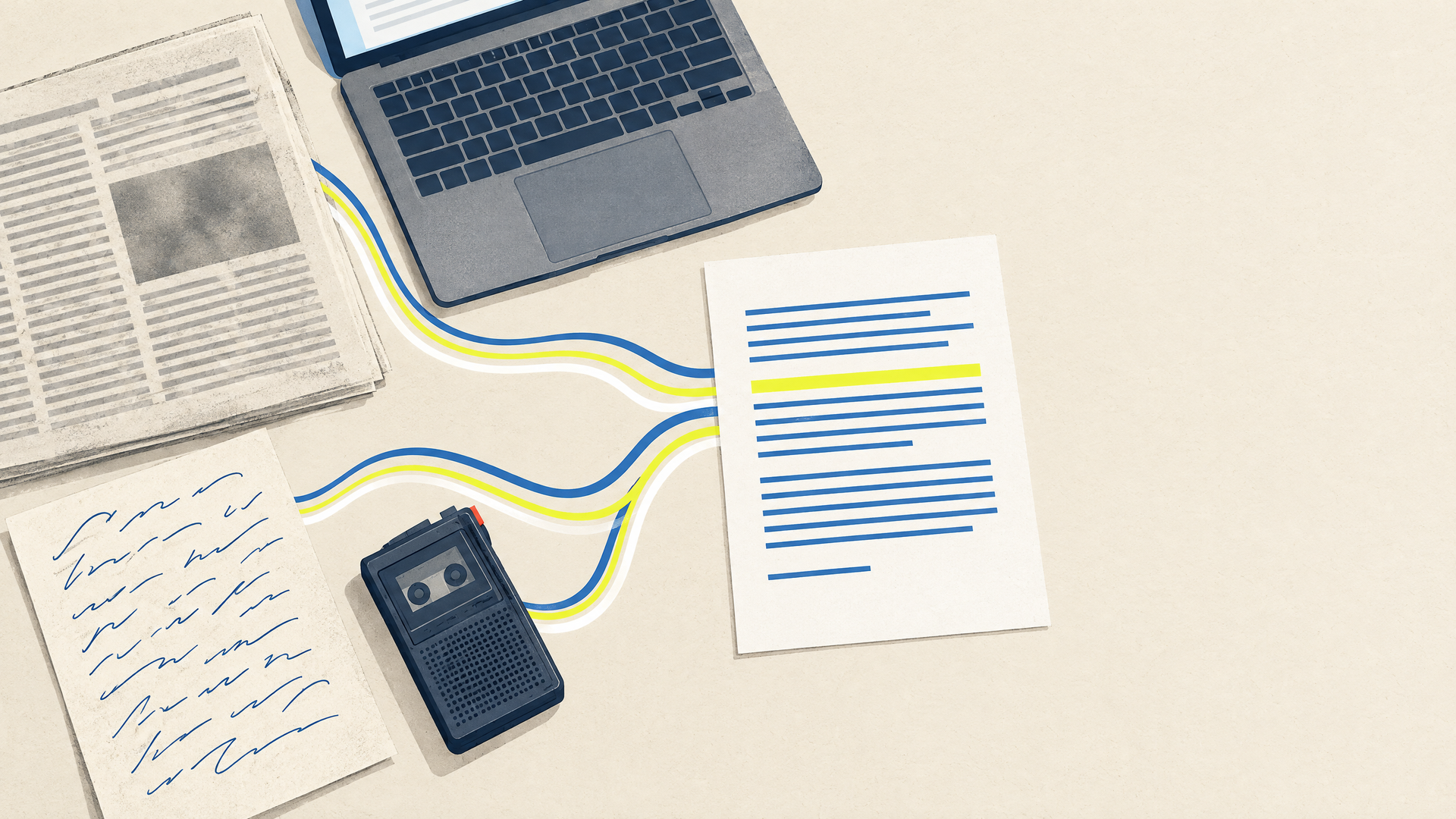
Hero image
store/hero-1920x1080.png, 1920 × 1080, for the listing’s 16:9
hero art: newspapers, a letter and a cassette recorder whose lines settle into a clean page of
text. It is an illustration generated with OpenAI GPT Image (gpt-image-2.5-flare); its prompt
and settings are in the .json beside it. It shows no real document, script or person, and
carries no text, so the Store’s title and buttons can sit over its right side.
Screenshots
One set of ten scenes for both stores, taken again for 1.10.0, where search by meaning and
screening against a question replace the dictionary and the analysis as scenes 5 and 7 (the
guide keeps those two). The set before it was 1.4.1’s, taken because 1.4.0’s were refused
(below). Take them from the installed Store package, in one theme
throughout (the light one, as the 1.0.0 captures); the Mac App Store’s on a Mac, from the
TestFlight build (below). Store rules: .png, at least 1366 × 768,
under 50 MB; ten at most, five to eight recommended. The first one or two are what most people
see, in search results and at the top of the listing, so they carry what sets Kalamu apart:
checking AI text against its source. Keep what matters in the top two-thirds, where the Store
draws no overlay. No logo or marketing line in the image: each caption goes in the screenshot’s
Description field (under 200 characters), which is also what a screen reader announces.
How to take them. Capture the window alone (Win+Shift+S, window mode) at 1920 × 1080 with
Windows display scaling at 100 %, or at 2560 × 1440 at 125 %, and keep one size for the whole
set. Wait for toasts to go. Name the jobs as a researcher would (“Le Réveil du Dahomey, 1937”,
“Interviews, Ouagadougou 2024”), and keep the sidebar open on the same short list of jobs
throughout, so the set reads as one person’s work. Rename the folders first: no C:\Users\<name>
path, no real key, no personal data in a file name.
Every legible word is listing content. The Store reads the text in a screenshot as the listing’s own words: 1.4.0 was refused under policy 11.5 (offensive content, “metadata”) for two screenshots of The Monitor (Omaha, 1915), whose masthead names the readers it served in the wording of its time. Historical sources carry such wording, so before a document goes into a screenshot, read what it shows (masthead, headlines, the text pane, analysis answers, names in the dictionary) and leave out anything on race, religion, violence or politics that a reviewer could take out of context, as well as caricatures in its advertisements. Prefer everyday material: a student newspaper, local news, a scientific report. Before uploading, open each image at full size and read it once more, word by word.
The material. All of it was screened this way, and comes in two zips:
kalamu-samples.zip (the release’s sample files) and kalamu-screenshot-material.zip (nine
whole issues of The Daily Nebraskan of spring 1911 and interview-two-speakers.wav; made on
the PC in screenshot-material/, which git ignores, and described in its README). Each scene
uses:
| # | Files |
|---|---|
| 1 | The Daily Nebraskan 1911-04-05.pdf, the whole issue of the page in daily-nebraskan-1911.pdf, so the strip of pages has pages to mark reviewed |
| 2 | The demo project below |
| 3 | dodington-1755.jpg, with Claude or Mistral |
| 4 | The Newspapers workflow run on the nine issues |
| 5 | The project’s search by meaning, prepared with Gemini Embedding 2 (or EmbeddingGemma 2, offline), a question such as students kept away from classes by illness |
| 6 | interview-two-speakers.wav, with a cloud model that labels speakers, the two named in the review |
| 7 | Which of these speak of my question? on the project’s documents, a question such as How did students at the University of Nebraska take part in sport and athletics in 1911, and who organised it?, the table filtered to Relevant |
| 8 | The folder of the nine issues |
| 9 | daily-nebraskan-1911-issue.pdf (24 May 1911, four pages) |
| 10 | Settings › Offline models, or bulletin-page.jpg with Tesseract |
The Monitor and the Victoria Daily Times of 1915, used before, are out of the samples and the screenshots: the Victoria for its war news, and no pre-war year either, since every issue of 1912 screened as a replacement carried the period’s words on Asian immigrants and Black Americans.
Other material whose rights allow it, for scenes added later. Everything in samples/: the recording and the invented
page (made for Kalamu, CC0), the 1755 manuscript and the 1911 newspaper (public domain, sources
in its README); more public-domain newspapers from the Library of Congress’s
Chronicling America (no known restrictions), or older
issues whose rights holder agrees; a handwritten letter in the public domain on Wikimedia
Commons; your own recording, or one made with the speaker’s consent for this use. Gallica and
most archives restrict commercial reuse: a Store listing is safest without them.
A demo project for the shots that need one (2, 4 and 5), from public-domain material only:
a project The Daily Nebraskan, Lincoln 1911 with collections February–March, April–May,
Correspondence and Interviews; the nine issues of kalamu-screenshot-material.zip (spring
1911, four pages each, from Chronicling America), dodington-1755.jpg and
interview-two-speakers.wav; tags
such as agriculture, athletics and theatre on a few documents. Save the example Letters: read, check, then people
and places as a workflow Newspapers, its first step on the newspaper preset, and run it on the
issues from the project’s selection, so the dictionary
has the same people under several forms of their names (William Jennings Bryan, W. J.
Bryan, Mr. Bryan, who spoke at convocation on 28 March; Prof. E. H. Barbour, Professor
Barbour) for a model to propose merging, and a pair to keep apart (Grace Bryan, his daughter,
whose wedding the 24 May issue announces). Chancellor Avery and Dean Burnett recur across
issues as well.
The runs to make, in this order, since the project, the dictionary and the analysis build on the workflow. Eight runs; scenes 2, 8 and 10 need none, and runs 1 and 5 also make the guide’s dictionary and analysis images. Name each job as a researcher would (Daily Nebraskan, spring 1911, Dodington report, 1755, Interview, Ouagadougou), and check each estimate before starting: only the first run is large (36 pages read, then analysed).
- Workflow Newspapers (scene 4, and the guide’s dictionary). In Workflows, start from the example Letters: read, check, then people and places, name it Newspapers, and set its first step’s preset to Newspaper or magazine; the second stays People, places and organisations. Run it on the nine issues from the project’s selection. Take scene 4 when it stops after the first step for review, Continue in view; correct a few words, then continue. Once the second step is done, open the project’s dictionary, ask a model to propose merges, and take the guide’s dictionary image with a proposal open.
- Extract text, two set-ups (scene 1):
The Daily Nebraskan 1911-04-05.pdf, for instance Gemini and Claude, on Newspaper or magazine. Mark a page or two reviewed, then open the column on the agricultural students or the dramatic club with one set of readings open. - Extract text, handwriting (scene 3):
dodington-1755.jpgwith Claude or Mistral (Gemini refuses it), lines kept as on the page; correct one word. - Transcribe audio (scene 6):
interview-two-speakers.wavin French with Gemini, which labels speakers; give both speakers names in the review. - Analyse texts, two set-ups (the guide’s analysis image): from the corrected result of the 5 April issue, send its text into a new analysis whose prompt asks for a summary, people, places and a tone with its reason (in Prompts, a copy of People, places and organisations with a summary and a tone field added), on two models; point at a name the set-ups disagree on.
- Detailed table of contents (scene 9):
daily-nebraskan-1911-issue.pdfon Newspaper or magazine issue. - Search by meaning (scene 5): in the project’s Search, choose Meaning, prepare it with Gemini Embedding 2, then ask students kept away from classes by illness, the closest document’s passages in view.
- Screening (scene 7): tick the documents that have been read, choose Which of these speak of my question?, ask the athletics question above, then filter the table to Relevant, one row open with its reason and passages, and Keep it.
Without a run: the project (scene 2), made by hand as above; New job (scene 8), Extract text on
the folder of the nine issues with Gemini and Mistral OCR, captured before Start and left
unstarted; Settings › Offline models (scene 10), with Whisper Base and French for Tesseract downloaded,
or Tesseract on bulletin-page.jpg for the $0.00 estimate.
| # | What to show | Caption |
|---|---|---|
| 1 | Comparison in the review. A newspaper column scanned on the left; on the right its text from set-up A, with two or three words highlighted where B reads differently, and one set of readings open over the text. The strip of pages below, a few marked reviewed. | Check every page beside its scan. Where two models read differently, the words are highlighted and you choose the right reading. |
| 2 | A project. The Daily Nebraskan project’s documents: collections in the side list, tags on a few rows, the results column showing what each was read with and how much is reviewed, one row selected with the selection bar’s actions. | Keep a project’s documents together in collections and tags, each with every result read from it, whatever job made it. |
| 3 | Handwriting. dodington-1755.jpg, read with Claude or Mistral (Gemini refuses it), beside its transcription, lines kept as on the page, one word corrected (blue). |
Read handwritten letters and registers line by line, kept as on the page so each line is easy to check against the original. |
| 4 | A workflow run. The Newspapers run with its first step done and stopped for review, the next step waiting, and Continue in view; or the workflow’s drawing of its steps in Workflows. | Chain steps into a workflow: read the pages, check them, then analyse the corrected text. Nothing goes on until you say so. |
| 5 | Search by meaning. The project’s Search on Meaning: a question in plain words, the closest documents listed by their best passage, each with how close it is. | Search a project by meaning: describe what you look for in your own words and find the passages that say it in theirs, each opening its page. |
| 6 | Transcript. The player above the transcript, speakers given real names, timestamps, the line being spoken highlighted. | Transcribe interviews with speakers and timestamps, give the speakers their names, and click any line to hear it. |
| 7 | Screening. The project’s documents after Which of these speak of my question?, filtered to Relevant: a row with its answer, reason and passages, and the Kept tag. | Ask which documents speak of your research question: each answer comes with its reason and passages found word for word in the text, and you decide what to keep. |
| 8 | New job, ready to start. Extract text chosen, a folder of issues added, two set-ups (Gemini and Mistral OCR), the diagram of the task, and the estimate on the right with a cost per model. | Choose your files, a task and a model, and see the estimated cost before anything is sent to the provider. |
| 9 | Table of contents. A Daily Nebraskan issue’s page on the left, the entries on the right with titles, pages, authors and summaries, the entries on the page shown marked; the strip of pages below. | Turn a whole newspaper issue or archival file into a detailed table of contents: each article with its pages, authors and summary. |
| 10 | Offline. Settings › Offline models with a Whisper model and French for Tesseract downloaded, or New job with Tesseract (on this computer) chosen and the estimate at $0.00. | Transcribe recordings with Whisper and read printed pages with Tesseract, offline: free, no account or key, and nothing leaves your PC. |
The dictionary, the analysis, the glossary, Prompts, the job’s page and the Jobs page are left
out of the ten: the description and features name them, and the guide shows the dictionary and
the analysis. Name the captures after the rows above (01-comparison.png, 02-project.png,
03-handwriting.png, 04-workflow.png, 05-search.png, 06-transcript.png,
07-screening.png, 08-new-job.png, 09-contents.png, 10-offline.png).
The Microsoft Store set for 1.10.0 is in
store/screenshots/windows/, en/ for the English listing and
fr/ for the French one; the Mac App Store’s go beside it in store/screenshots/macos/. The
Windows set: 1920 × 1080 window captures of 1.10.0-rc1 on Windows 11 ARM64, light theme, taken
in a second, empty data folder during the test pass of 21 November 2026, at 1536 × 864 at
125 % and scaled up. Scene 7 and the French scene 4 were retaken on rc2 at 1280 × 720 at 150 %,
so their type is about a fifth larger. Scene 4 shows, in English, the run stopped after its
first step with Continue, and in French the workflow’s drawing with French step names; scene
10 New job with Tesseract on bulletin-page.jpg. In scene 1 the readings open are Hatheway
against Hathawey in the 5 April cast list, with no page reviewed yet, so its footer shows no
error rates. Scene 6’s text pane shows the line on the paper’s coverage of religious feasts,
as 1.4.1’s did. Read each image again at full size before uploading it.
The guide’s own images, from the same session, are in guide/images/, en/ and
fr/; the guide also shows the ten above.
Leave out an image rather than show a feature that does not run as shown: certification checks that the screenshots match the app.
Mac App Store (App Store Connect)
Paste-ready text for the Mac App Store listing. Version 1.6.0, the first submission, was sent with an earlier text and withdrawn from review on 24 November 2026; 1.10.1 took its place the same day, in review with build 41 and the description and review notes below, the notes’ bracket answered No test key is provided: the offline route above shows the app’s features without one. The steps, the age rating and the App Privacy answers are in mac-app-store.md. App Store Connect’s limits, checked when this text was written: name and subtitle 30 characters, promotional text 170, description 4,000, keywords 100 (comma-separated, without spaces after the commas, and no other company’s trademark, Guideline 2.3.7), review notes 4,000. The text here fits: name 6, subtitle 25, promotional text 163, description 3894, keywords 100, review notes 3875.
Differences from the Microsoft Store text: macOS words (the Keychain, “your Mac”); no Buy Me a Coffee line, since the store build hides that link (Guideline 3.1.1); the description in short headed sections, since the App Store shows only its first lines before more; and the same facts otherwise. Languages: English first, the primary language set in App Store Connect being English (U.K.), which the British spelling suits; French can be added as a localisation with its own screenshots.
English (U.K.)
Name
Kalamu
If the name is taken on the store, Kalamu for Researchers (22 characters).
Subtitle
Read, transcribe, analyse
Promotional text
Can be changed at any time without a new version.
Read scanned archives and manuscripts, transcribe interviews, and analyse texts with your chosen AI provider or offline, then verify every line against its source.
Description
Kalamu is a free desktop app for researchers working with scanned archives, manuscripts, oral-history interviews, and text collections. Run your sources through Google Gemini, OpenAI, Anthropic Claude, or Mistral with your own API key, or work completely offline, then check every line beside its source. Kalamu estimates costs before sending anything; cloud usage is billed directly by your provider. After a one-time download, you can also transcribe audio, read printed pages, and run local text analyses on your Mac for free.

EXTRACT AND CORRECT TEXT
Read printed or handwritten PDFs and images: newspapers, archival reports, letters, registers, and manuscripts. Combine photographs of the same file into one document. Pre-flight checks flag double-page spreads, low-resolution scans, duplicate or blurred photos, and quiet audio. Test a long document on three pages first. Clean up noisy digital-library OCR or translate texts side by side with the original.

TRANSCRIBE
Transcribe audio and video with speaker labels and timestamps, then rename speakers with real names. Offline, Whisper runs on your Mac's GPU with no account or key, keeping all audio local. With Gemini, transcribe public YouTube videos straight from their link.

CONTENTS AND ANALYSES
Turn a newspaper issue, archival file, or book into a table of contents with one entry per article and page numbers. Analyse texts with custom fields: summaries, named people and places, tone, or themes from your own codebook. Extract themes and verbatim quotes (with speaker and timestamp) from interview transcripts. Offline, Google's Gemma 4 E4B and E2B run analyses on your Mac; they are weaker than cloud models, so check their output carefully.

CHECK EVERY RESULT
Every page sits beside its text, and every recording beside its transcript. Your edits live in a separate layer so raw AI output is never overwritten. Overlay detected text regions on a scan, draw your own box around a faint line or marginal note to re-read just that section, and compare two models on the same pages with inline diff highlighting and error rates.

PROJECTS
Organise documents with collections and tags, keeping every result produced from each source. Search across your project by keywords or by meaning, and explore similar texts on a 2D map. Screen documents against your research question: a model flags relevant items, explains why, and cites verbatim passages. Reconcile people, places, and terms in a project dictionary. Save a whole project as one portable file, verify its integrity before relying on it, and chain reusable pipelines into workflows that pause for your review.

SAFE FOR LARGE JOBS
Work is saved piece by piece: interrupted jobs resume where they stopped without paying twice. Switch on cheaper mode to use your provider's batch service at roughly half the standard price.

OPEN FORMATS
Export to plain text, Markdown, Word, JSON, CSV, Excel, subtitles, searchable PDF, ALTO XML, and PAGE XML, each with a provenance.json file recording the model, prompt, and settings for your methods section.

YOUR DATA
Before your first job with any cloud provider, Kalamu explains what will be sent and asks for confirmation. Files go straight from your Mac to your provider; offline, nothing leaves your Mac. API keys stay in the macOS Keychain. The developer receives no files, results, keys, or telemetry, and Kalamu sells no subscriptions or credits. AI output can sound fluent while being wrong, so check a sample against the original source.

Requires macOS 14 or later on Apple Silicon. Interface and user guide in English and French; documents in any language your chosen model reads. Free and open source (MIT).

Google Gemini and YouTube are trademarks of Google LLC; OpenAI of OpenAI OpCo, LLC; Claude of Anthropic, PBC; Mistral AI of Mistral AI. Kalamu is independent and not affiliated with or endorsed by any of them.
Keywords
OCR,HTR,handwriting,transcription,speech to text,interview,archive,historian,digital humanities,ALTO
What’s New
Not asked for the first version on the store, and App Store Connect did not ask for it when 1.10.1, the first, was submitted. For 1.11.0, the next, the Microsoft Store’s 1.11.0 text serves as it stands: it names nothing only Windows has. Kept for the record: what was added since 1.6.0, the version withdrawn before 1.10.1 (Apple allows 4,000 characters; this is 1,793):
Everything added since 1.6.0.

Which of these speak of my question: a model reads a project's documents against your research question and says which do, why, and with which passages, each found word for word with its page. Keep or set aside each one.

Analyse this interview: themes and passages worth quoting, each backed by quotations found word for word in the transcript. Long interviews are read in parts, with your own themes or interview guide.

Search a project by meaning as well as by words, and see its documents as a map. In the review, see where the text sits on a scan, draw your own regions, and have a region or a passage read again by a model.

Save a project as one file and open it on another Mac or a PC. Check a project file reads a saved project without opening it and says whether everything in it is intact.

Translate a text into the language you choose, shown beside its source. Photographs of the pages of one letter, register or file are read as one document. Records: one row per entry of a directory or register.

Try a long document on three pages first, with one model or two. New job flags photographs taken twice or blurred. Every table also comes as an Excel workbook, and scans export as PAGE XML.

A welcome when nothing is set up yet, the ready-made fields in French, and a guide in English and French, reached from the app.

New models: Gemini 4 Hydrogen (the default), Carbon and Neon, GPT-6.2, Claude Fable 5.2, Mistral Large 4; New job offers only the newest model of each line.

Fixed: a project is never saved to a file without a text its jobs read; exports never replace a workbook or CSV you kept beside them; two files can no longer be given the same name; the cheaper mode's estimate counts the discount only for what is really sent in a batch.
URLs and copyright
| Field | Value |
|---|---|
| Support URL | https://github.com/fmadore/Kalamu/issues |
| Marketing URL | https://github.com/fmadore/Kalamu |
| Privacy Policy URL | https://kalamu.frederickmadore.com/privacy |
| Copyright | 2026 Frédérick Madore |
| Primary category | Productivity |
| Secondary category | Education |
App Review Information
Sign-in required: no. Contact: the maintainer’s name, telephone and email (App Store Connect asks; they are not public). Fill in the bracketed part of the notes; a test key may be given here, never in the listing. Notes:
Kalamu extracts text from documents, transcribes recordings and analyses texts with an AI provider the user sets up with their own API key (Google Gemini, OpenAI, Anthropic Claude or Mistral), or offline with Whisper (transcription), Tesseract and two small OCR models, LightOnOCR-3 and GLM-OCR (printed text), and two small language models, Gemma 4 E4B and E2B (analyses). No sign-in: the app has no account of its own and sells nothing; provider usage is billed to the user's own account.

Sample files: https://github.com/fmadore/Kalamu/releases/download/v1.11.0/kalamu-samples.zip (interview.wav, a recording; bulletin-page.jpg, an invented newspaper page; dodington-1755.jpg, a 1755 manuscript; daily-nebraskan-1911.pdf, a 1911 newspaper page; bulletin.txt).

Offline route, no key needed:
1. Settings > Offline > Transcription with Whisper: download Whisper Base (about 60 MB, once).
2. New job > Transcribe audio, add interview.wav, Provider: Whisper (on this Mac), Model: Whisper Base. Kalamu asks for permission to save results in the file's folder: choose that folder in the panel. Start.
3. When done, Review: the transcript beside a player; click a line to hear it, edit a word (the correction is kept apart), press Cmd F and type "Mopti".
4. Settings > Offline > Text extraction with Tesseract: download French (4 MB). New job > Extract text, bulletin-page.jpg, Tesseract, French, Start. The formats include ALTO XML and a searchable PDF.
5. Optional: Settings > Offline > Text extraction with OCR models: download LightOnOCR-3 1B (1.1 GB). Read bulletin-page.jpg with it the same way (Provider: OCR models (on this computer)); it runs on the Mac's graphics processor.
6. Optional: Settings > Offline > Analyses with language models: download Gemma 4 E2B (4.3 GB). New job > Analyse texts, bulletin.txt, Provider: Language models (on this computer), Gemma 4 E2B, People, places and organisations, Start.

Cloud features need the user's own key, entered in Settings and kept in the Keychain. [Either: A test Gemini key with a spending cap: <key>. Paste it in Settings under Google Gemini, then New job > Extract text on bulletin-page.jpg, or Analyse texts on bulletin.txt. Or: No test key is provided.] Before the first job sent to a provider, a dialog names the provider, says what is sent (the pages, recordings or text and any personal information in them), that it goes under the user's account and the provider's terms, and links the privacy policy; Send records consent for that provider, Cancel sends nothing (Guideline 5.1.2(i)).

Downloads (2.4.5(iv), 2.5.2): Whisper models, the OCR, language and embedding models (from Hugging Face) and Tesseract language data (from GitHub) are model weights and data files, not code; the features using them are in this build and are only offered for download in Settings, each verified by SHA-256. The model catalogue refreshed at start is a JSON list of models and prices from the app's GitHub repository, not code. There is no self-updater.

Sandbox: the app reads only files and folders the user picks or drops, and keeps security-scoped bookmarks so jobs resume after a restart. FFmpeg and ffprobe inside the bundle convert audio, and llama.cpp's llama-mtmd-cli and llama-completion, also inside the bundle, run the OCR models once per page and the language models once per text; all four are signed to inherit the sandbox and open no connection. Outgoing connections only: the chosen provider, Hugging Face and GitHub for downloads the user asks for, YouTube's oEmbed and privacy-enhanced player for a public video the user pastes.

Every result is text generated by the model the user chooses; it is always shown beside its source to be checked. Report a problem (the flag in each review and Settings > About) opens GitHub's issue forms in the browser. The developer receives no data, files, keys or telemetry.
Screenshots
At least one, up to ten, 16:10, without transparency, .png or .jpeg, all one size: 2880 ×
1800 (a Retina Mac at its default scaling), or 2560 × 1600, 1440 × 900 or 1280 × 800. Take them
on a Mac, of the Mac App Store build, so the window’s title bar, traffic lights and menu bar are
macOS’s: screenshots of the Windows app would not show the app as it runs (Guideline 2.3.3).
Use the same ten scenes, captions and material as the Microsoft Store above, with “your Mac”
for “your PC” in the tenth (the Mac set below still has 1.5.0’s scenes 5 and 7, the dictionary
and the analysis: take search by meaning and screening in their place at the next session on a
Mac, under the new names), and screen them the same way: App Review reads screenshots as
metadata too, and asks that metadata suit all audiences (Guideline 2.3.8), Kalamu being rated
4+. The step-by-step for the day on a Mac is Part F of mac-test-day.md. Capture the window alone with ⌘⇧4 then Space, which adds a shadow with
transparency: hold ⌥ while clicking to leave it out, or export the image without alpha. Keep
the set in store/screenshots/macos/, en/ and fr/, beside the Windows one.
The set for 1.5.0 is there: 1440 × 900 window captures, light theme, without alpha (the
window’s rounded corners filled with white), of the sandboxed App Store build made from the
source on an Apple Silicon Mac, macOS 26, the French set with the interface in French and the
same jobs. The scenes follow the Windows set: scene 4 shows the workflow’s drawing, scene 10
New job with Tesseract and French on bulletin-page.jpg. In scene 1 the reading open is
tht (Gemini, as printed) against the (Claude); in scene 3 the corrected word is Velüe,
line D. The workflow, its steps and the analysis prompt were made with the interface in
English, so their names stay English in the French set, as in the Windows one. In scene 7 the
answers are scrolled past People, whose 1911 list includes a name that reads as a present-day
politician’s. Retake them from the TestFlight build before the first submission if anything
differs there.