Read archives, transcribe interviews, and check every line against its source.

Kalamu is a free desktop app for researchers. It reads scanned and handwritten documents, transcribes recordings and analyses texts with the AI provider you choose, or offline, without Python, Colab or the command line.

  • Free, every feature included
  • Windows 11, x64 and ARM64
  • macOS on Apple silicon
  • English and French interface

Kalamu is Swahili for pen, from the Arabic qalam.

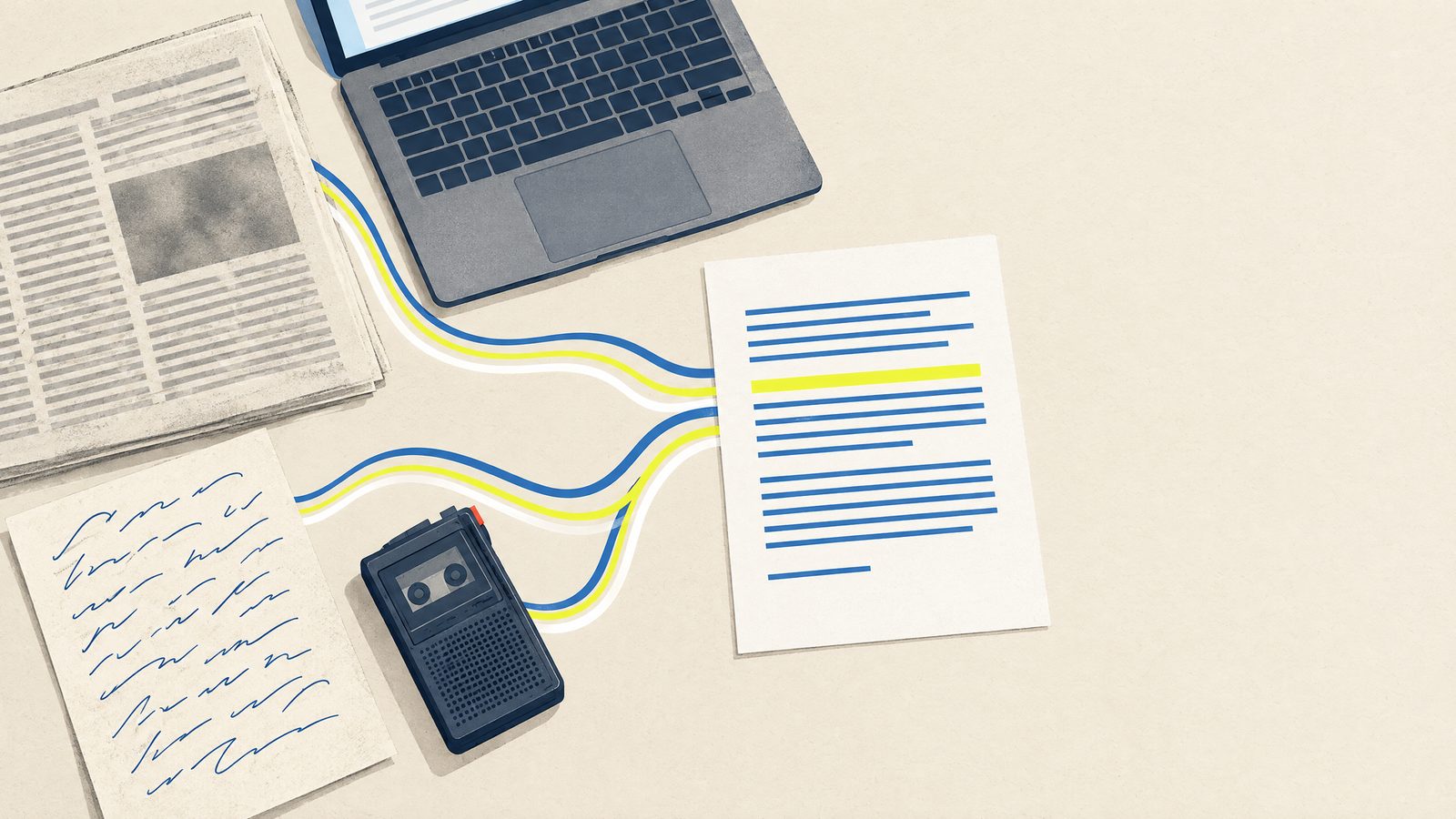
An illustration of a researcher's desk: a printed newspaper, a handwritten letter and a cassette recorder send ribbons of ink blue and highlighter yellow into neat lines of text on a fresh sheet, one line highlighted.

01 · What it does

Three tasks, for the sources researchers work with

Old newspapers in columns, handwritten letters and registers, oral-history interviews, reports, and articles: Kalamu turns them into text you can search, quote, and analyse, in any language your chosen model reads.

Extract text

Kalamu reads printed and handwritten PDFs and images: newspapers, reports, letters, registers, and manuscripts. Keep line breaks as on the page to check against the scan, or join them into running text. A folder of photographs from the same letter or file is read as a single document.
Transcribe audio and video

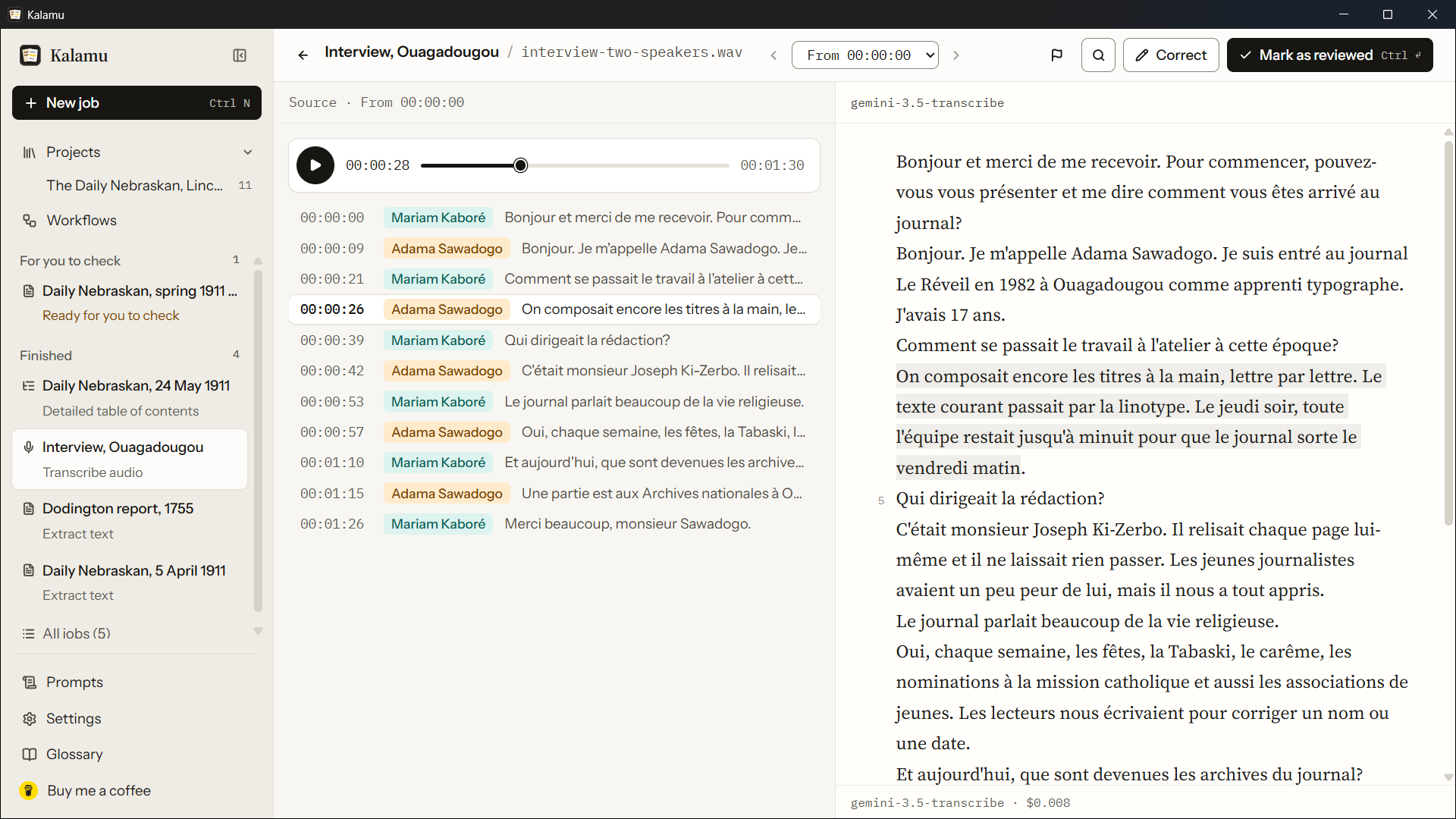
Transcripts show who speaks and when, and you can replace speaker labels with real names. Long recordings are split at pauses. Offline, Whisper transcribes on your computer; public YouTube videos can be transcribed directly from their link with Gemini.

Analyse texts

Define the fields as you would brief a research assistant: a summary, the people, places, and organisations a document names, its tone with a justification, or themes from your own list. Built-in presets cover common research needs.

02 · Checking

AI text can be fluent and wrong, so every result sits beside its source.

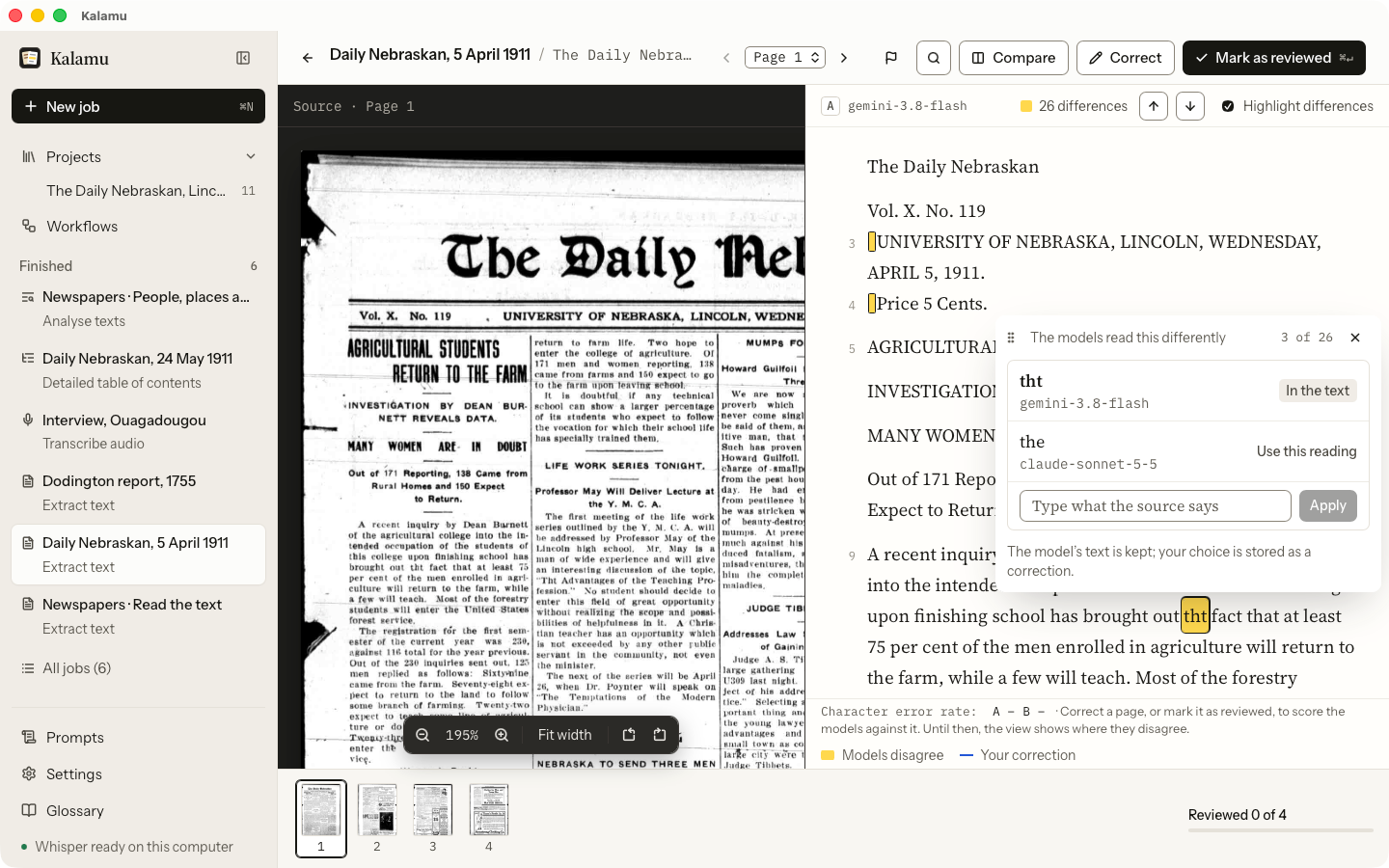
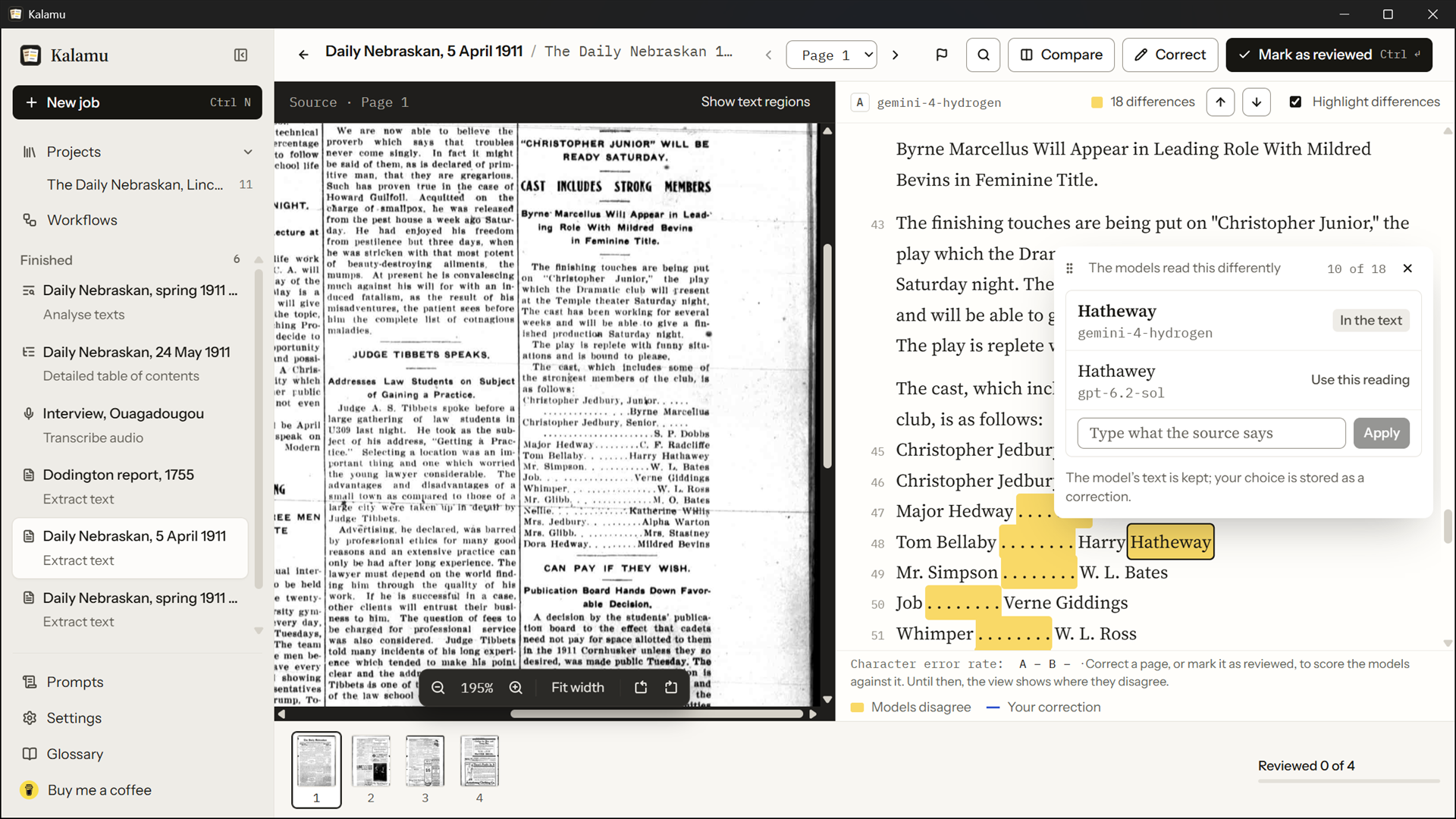
The review screen places each page beside its text, or each recording beside its transcript. Run two models on the same page and every word where they disagree is highlighted, showing you where to look. Try it on a line from a 1911 newspaper.

Source · Page 1The Daily Nebraskan, 1911
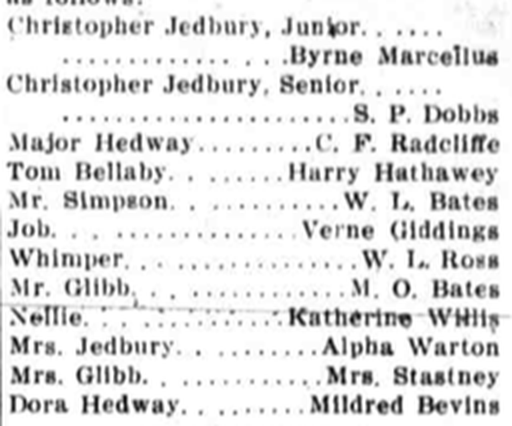
A scanned cast list from The Daily Nebraskan, 5 April 1911. The sixth line reads: Tom Bellaby, Harry Hathawey.
A · gemini-4-hydrogen1 difference

47Major Hedway ....... C. F. Radcliffe

48Tom Bellaby ....... Harry

49Mr. Simpson ....... W. L. Bates

The models read this differently line 48
  • Hathewaygemini-4-hydrogen In the text
  • Hathaweygpt-6.2-sol

Compare both with the scan above, then choose.

Your corrections never overwrite the AI's text

Your edits live in a separate layer, and you mark each page as reviewed. Exports use the corrected text; provenance.json records both versions along with the model, prompt, and settings, so your method can be documented and reproduced.

See where the text sits on the page

Overlay the regions a model detected on the scan, or draw your own box around a marginal note or faint line to re-read just that section, returned as a suggestion you can accept or discard.

Know how far to trust a model

Compare two or more models on the same documents: differences are highlighted inline, with error rates calculated against your corrected pages. A project's What to check list gathers everything that failed, was truncated, or still needs review.

03 · Projects

From a folder of scans to a project you can search

Projects

Organise documents with collections and tags. Each document keeps every result produced from it across all jobs, and you mark the one you rely on. Describe each source as an archive would: repository, fonds, shelfmark, citation.

Search by words or by meaning

Search your corrected text across an entire project (ignoring accents and Arabic diacritics), or describe a topic in your own words to find related passages. A map shows which documents cluster together.

Screen against your research question

Have a model read a project's documents against your research question and explain which ones are relevant, citing exact passages and page numbers. You decide whether to keep or set aside each document.

Analyse interviews

Extract themes and quotable passages from a transcript, each backed by verbatim quotes with speaker labels and timestamps. Supply your own codebook or interview guide upfront.

Tables of contents and registers

Turn a newspaper issue or archival file into a table of contents with one entry per article (pages, authors, summary), or extract a directory or register into a spreadsheet with one row per entry in your own columns.

A dictionary of names

Gather the people, places, and terms extracted by your analyses, grouping spelling variants under your canonical label. A model can suggest merges that you accept, edit, or reject.

Correct and translate

Clean up noisy OCR from a digital library page by page, preserving historical spelling and showing every edit, or translate a text side by side with its source.

Pipelines and workflows

Save a job's settings as a pipeline to rerun on the next batch in one click. Chain reading and analysis into multi-step workflows, pausing for your review before the next step runs.

Export with provenance

Export to plain text, Markdown, Word, JSON, CSV, Excel, subtitles, searchable PDF, ALTO XML, and PAGE XML, each accompanied by a provenance.json file ready to cite in a methods section.

04 · Tour

Six screens from the app

Show screenshots from
  1. The review on Windows: a 1911 newspaper page scanned on the left, its text on the right with the words two models read differently highlighted, and the two readings open over the text. The review on a Mac: a scanned newspaper page beside its text, with the words two models read differently highlighted.

    Check every page beside its scan

    Where two models read differently, the words are highlighted and you choose the right reading.

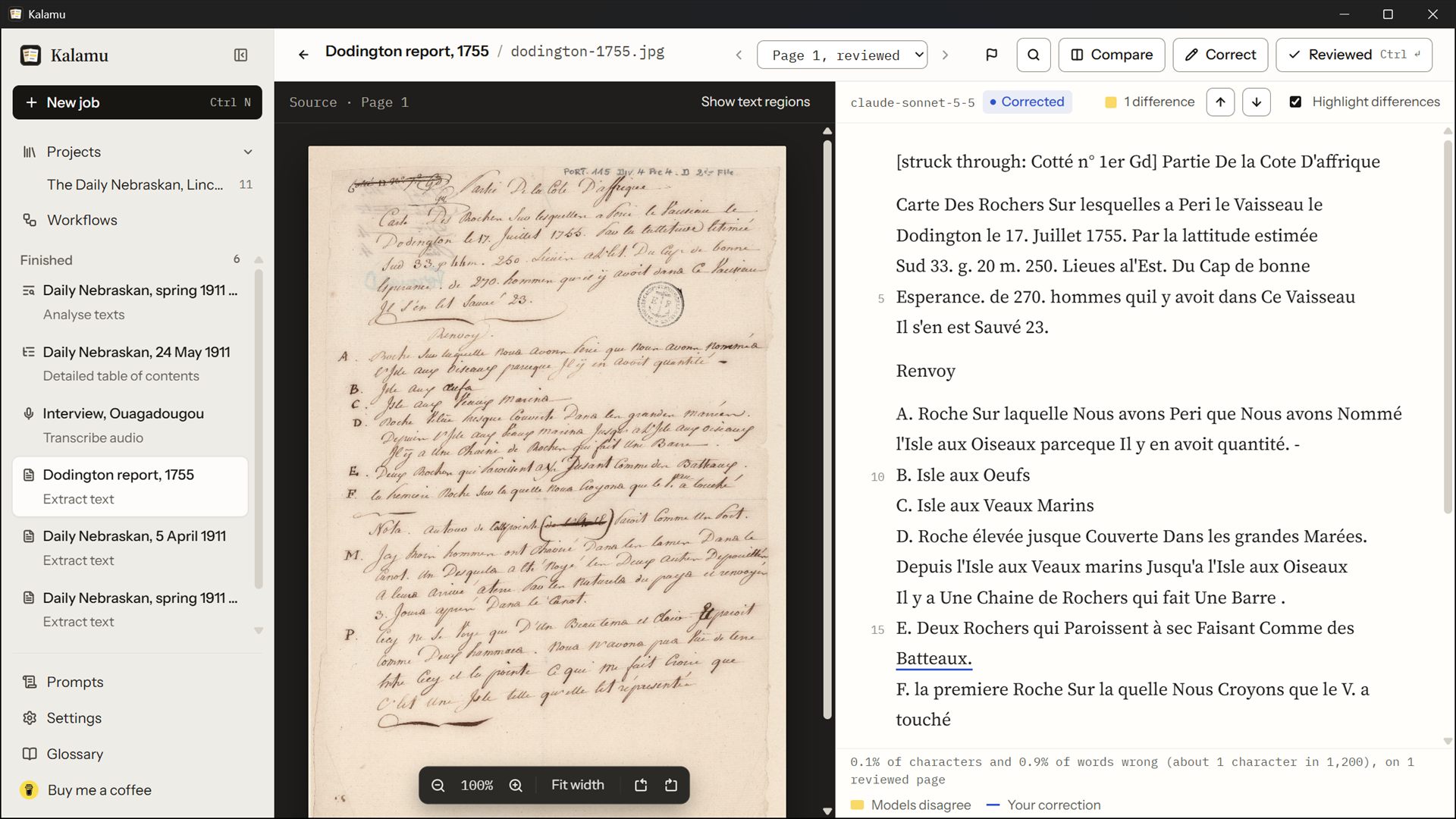
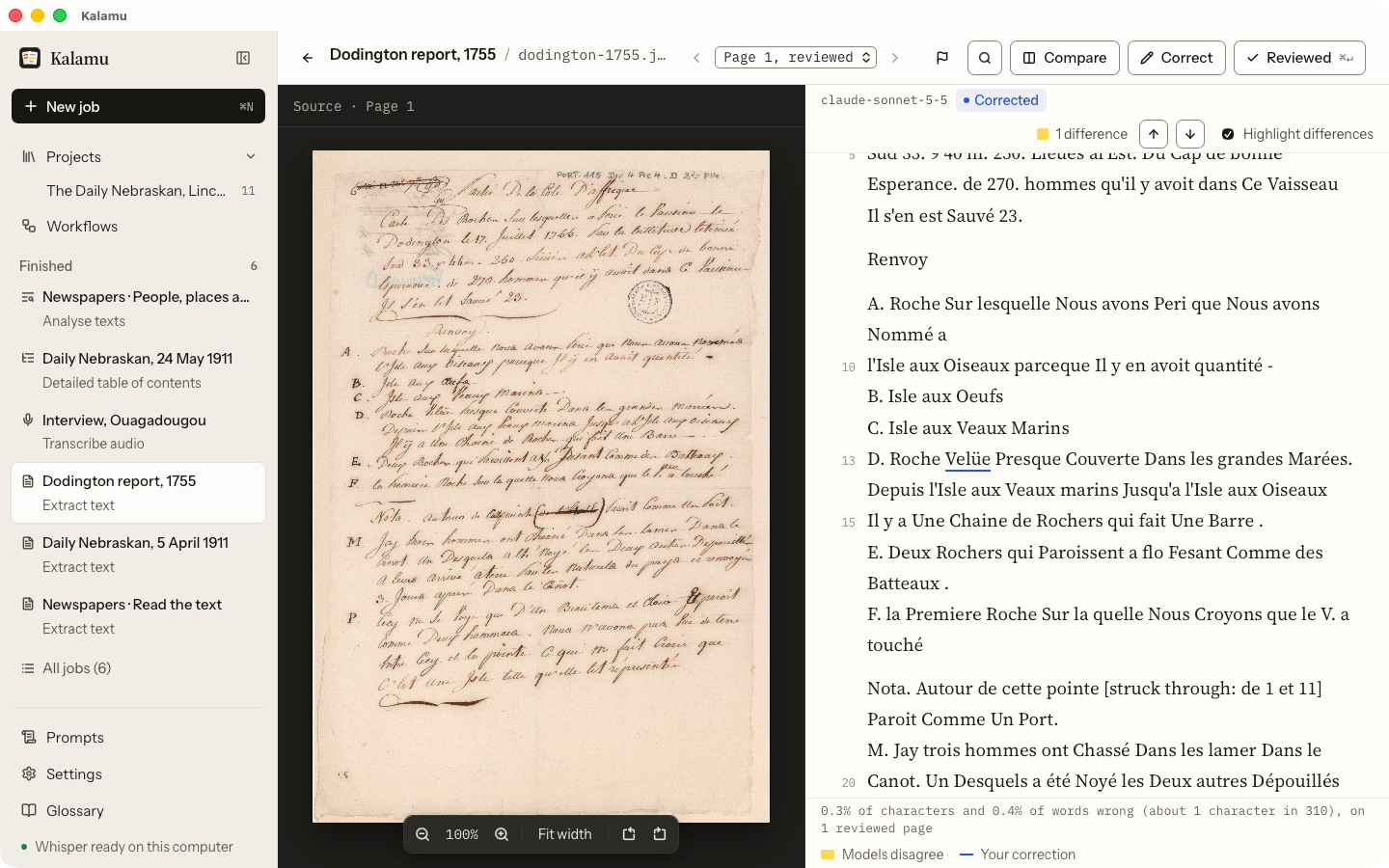
  2. A handwritten report of 1755 beside its transcription on Windows, lines kept as on the page, one word corrected in blue. A handwritten report beside its transcription on a Mac, lines kept as on the page.

    Read handwriting line by line

    Letters and registers, kept as on the page so each line is easy to check against the original.

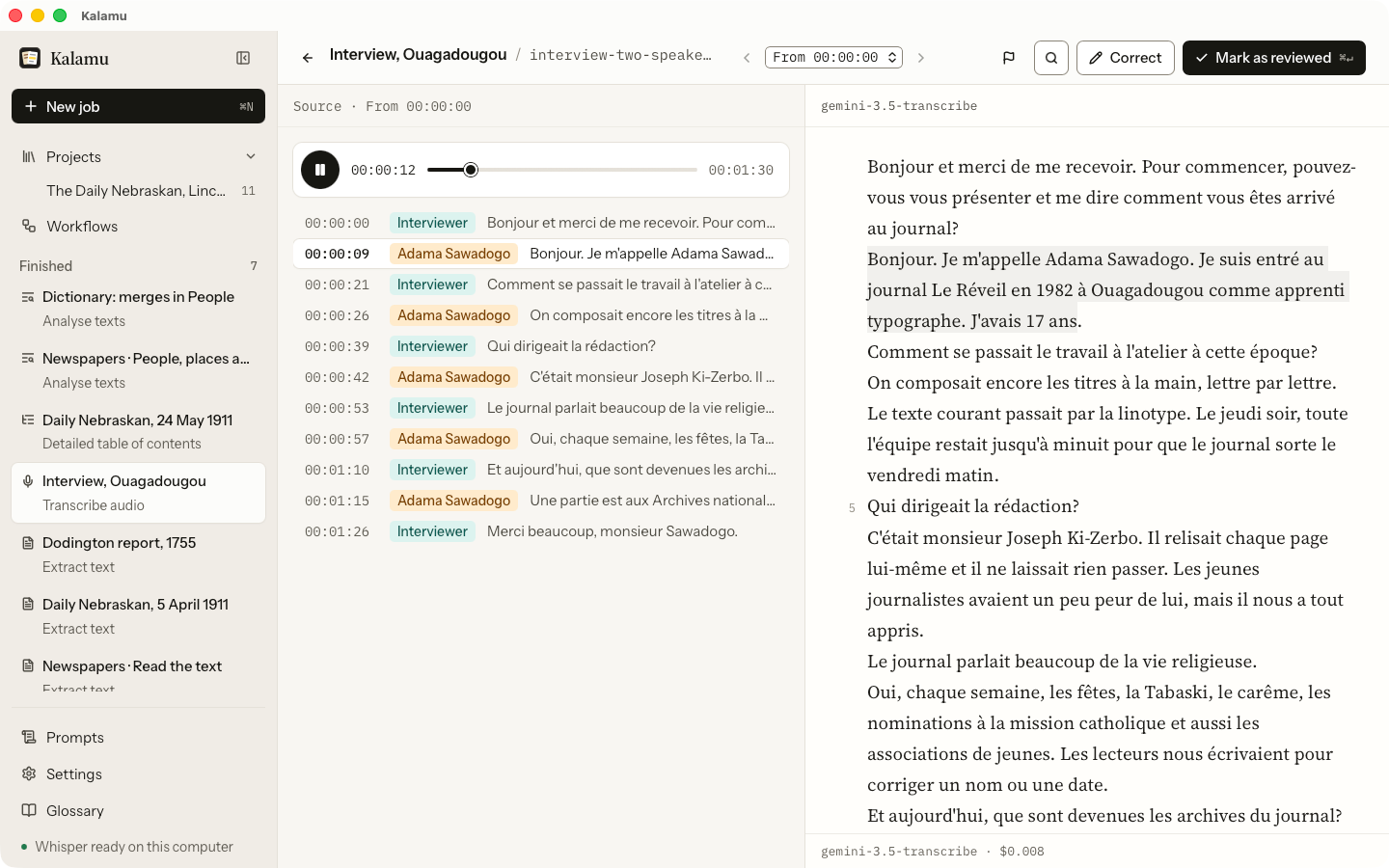
  3. An interview transcript on Windows: the player above, speakers given their names, timestamps, and the line being spoken highlighted. An interview transcript on a Mac, with the player, speakers and timestamps.

    Transcribe interviews

    With speakers and timestamps; give the speakers their names, and click any line to hear it.

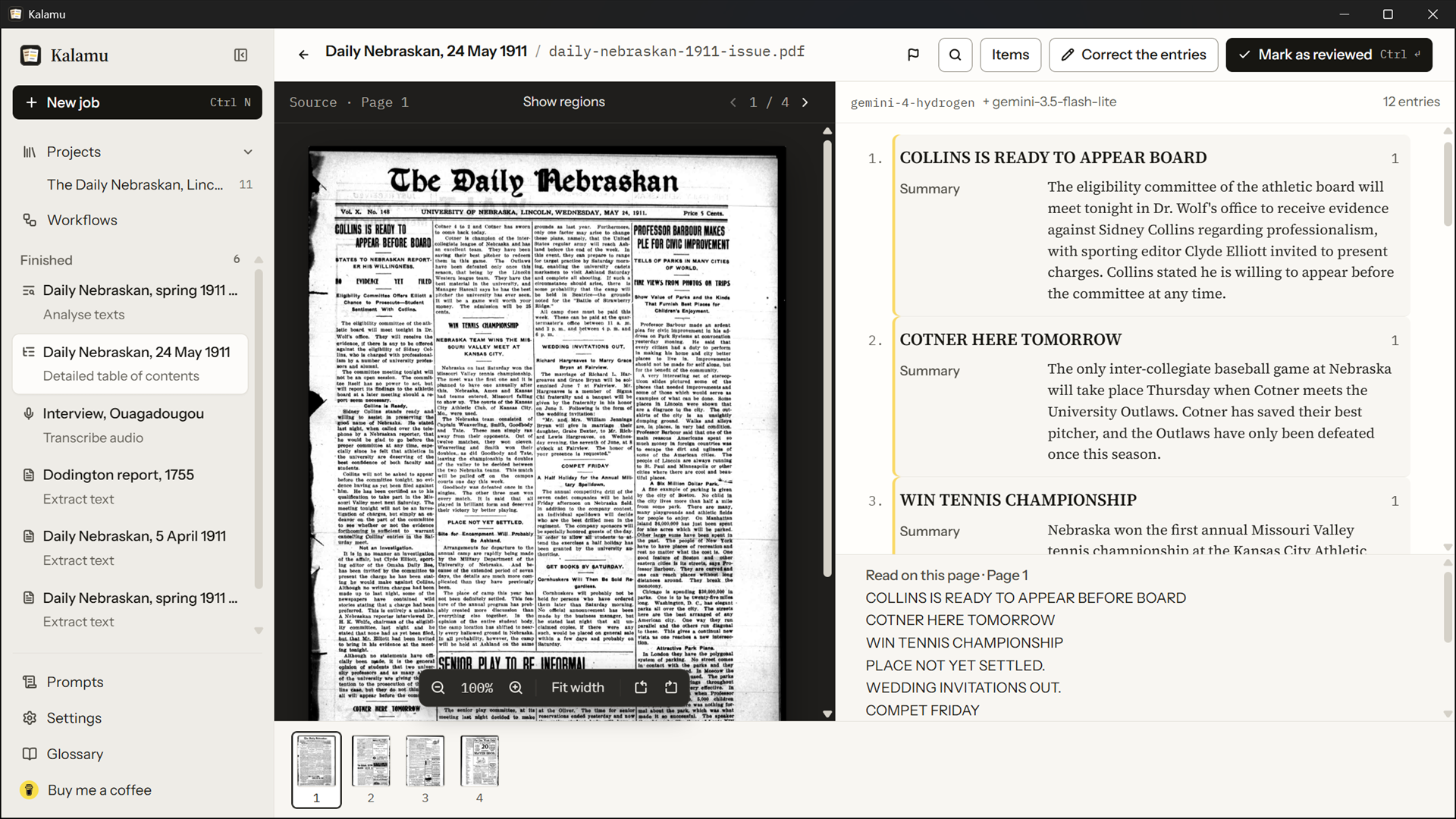
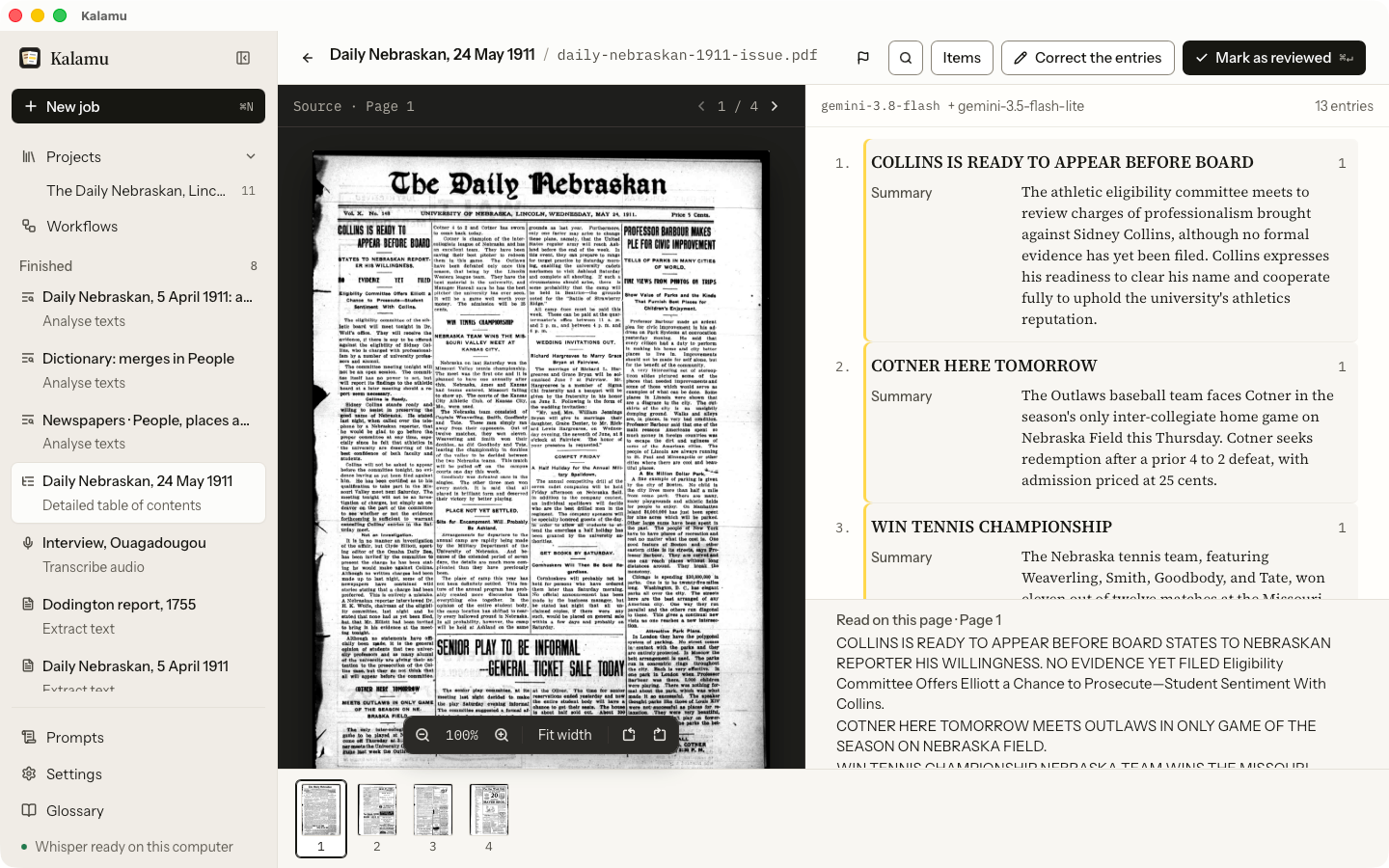
  4. A detailed table of contents on Windows: a newspaper page on the left, its articles on the right with titles, pages, authors and summaries. A detailed table of contents of a newspaper issue on a Mac.

    Make a table of contents

    A whole newspaper issue or archival file: each article with its pages, authors and summary.

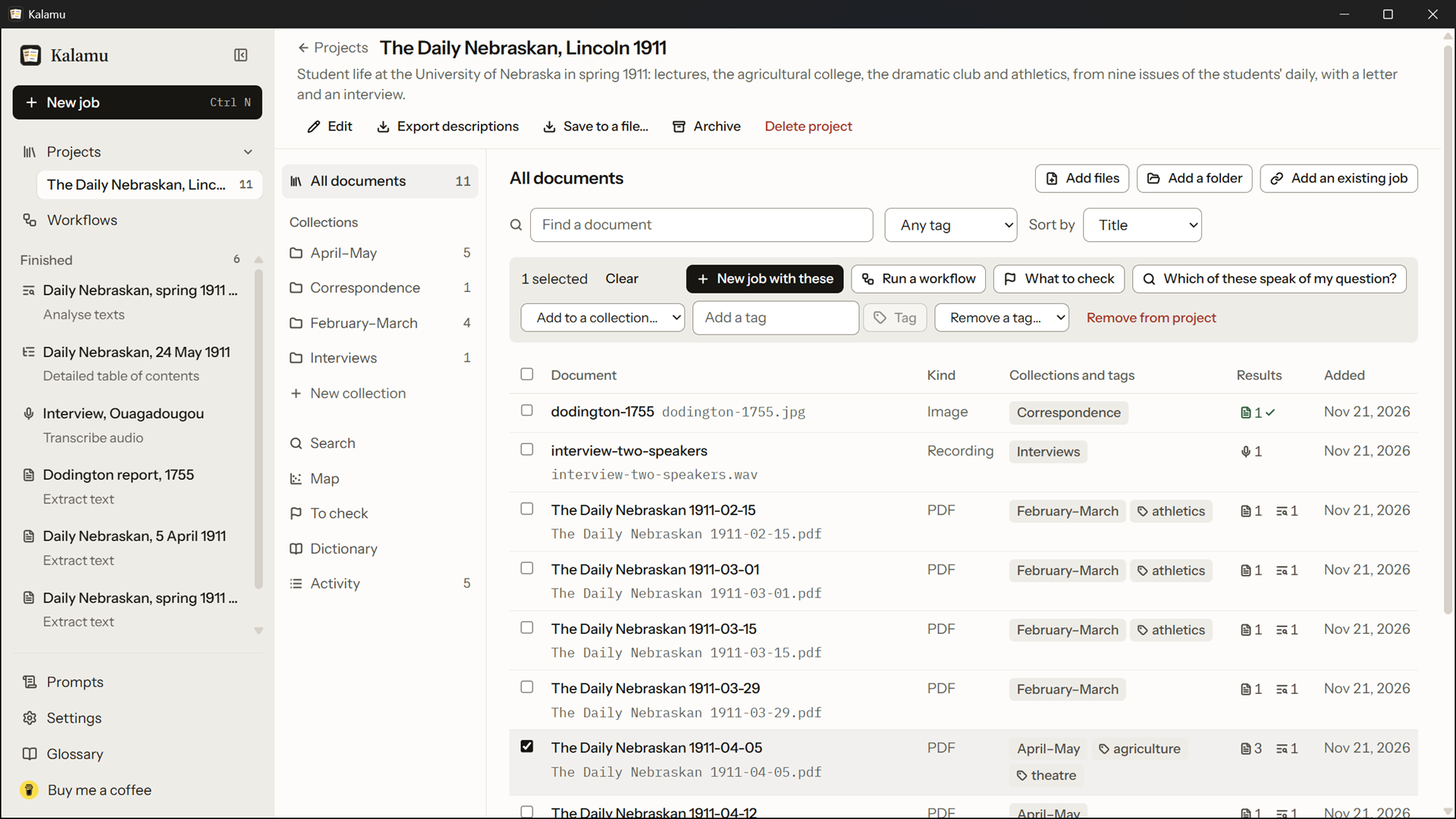
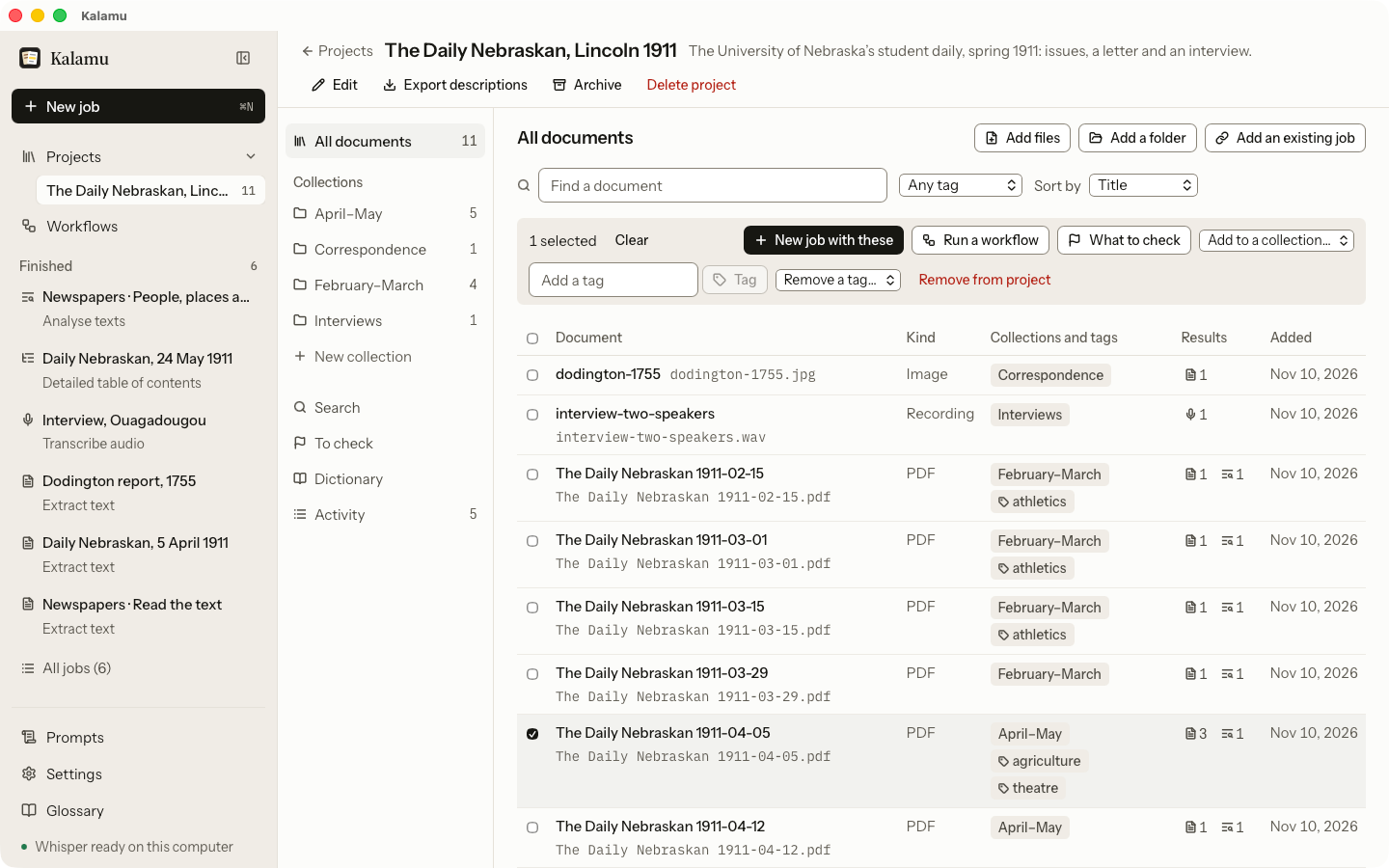
  5. A project on Windows: its documents with collections in the side list, tags, and what each was read with and how much is reviewed. A project's documents on a Mac, with collections and tags.

    Keep a project together

    Collections and tags, each document with every result read from it, whatever job made it.

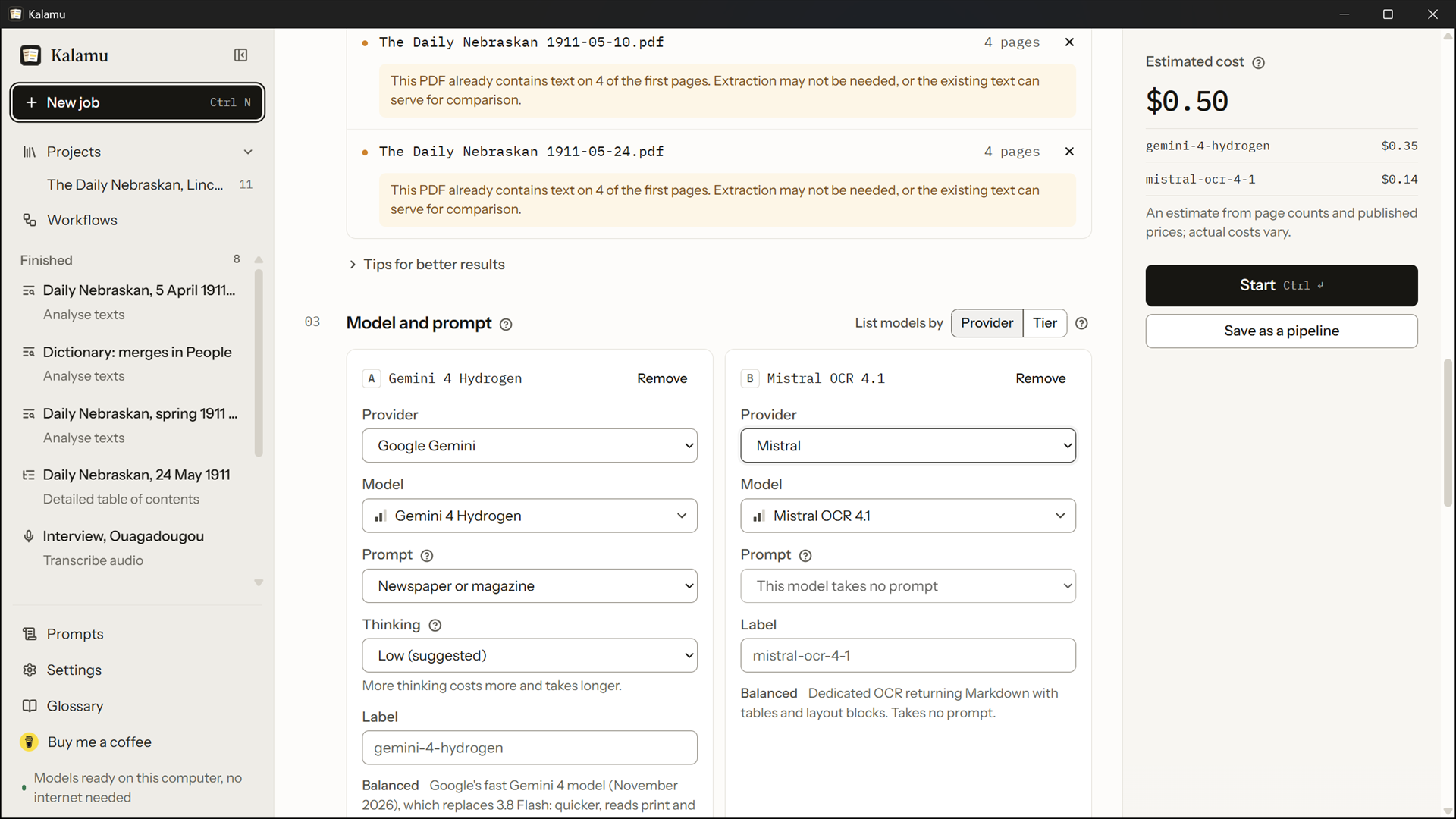
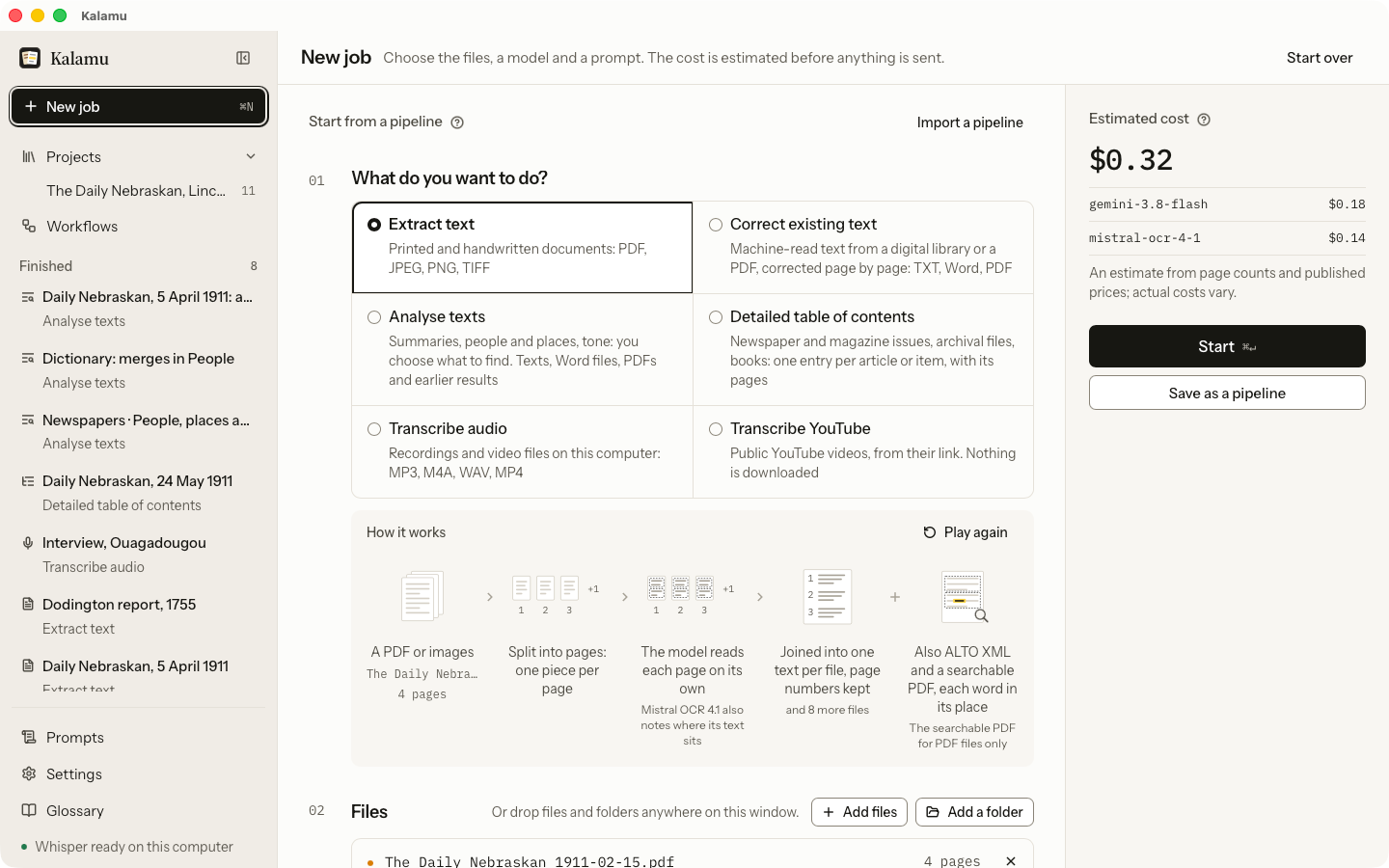
  6. New job on Windows, ready to start: Extract text on a folder of newspaper issues with two models, and the estimated cost of each. New job on a Mac, with files, a task, models and the estimated cost.

    See the cost before you start

    Choose your files, a task and a model, and see the estimate before anything is sent.

The Windows screenshots show version 1.10.0; the Mac ones show an earlier version. The sources are public-domain newspapers and documents alongside a synthesised interview, and no screenshot contains a real API key.

05 · Cloud or offline

Your provider, your key, or nothing sent at all

Kalamu has no subscriptions, credits, or API mark-ups. Connect your own account with a cloud provider (which bills you directly), or download a local model once and work offline on your own computer for free.

With your own API key

The strongest models, billed by the provider

Files travel straight from your computer to the provider you choose.

  • Google GeminiText, handwriting, transcription with speakers, YouTube links
  • OpenAIText, handwriting, transcription and analyses
  • Anthropic ClaudeText, handwriting and analyses
  • MistralMistral OCR with each word placed on the page, transcription, analyses
On your computer · free

Download once, then work offline

No account, key, or connection required; faster with a graphics processor.

  • WhisperTranscription, skipping silence and music
  • TesseractClean print, each word with its place on the page
  • LightOnOCR-3, GLM-OCRDegraded print, columns and tables
  • Gemma 4 E4B, E2BAnalyses, tables of contents and corrections; weaker than cloud models, so check their answers
1×

Pay for each page once: work is saved piece by piece, and an interrupted job resumes where it stopped.

½

Roughly half the standard price for large collections using your provider's batch service (answered within 24 hours).

3 pages

Test a long document on three pages first, with one model or two, before paying for the rest.

$0.00

The cost of an offline job. With cloud models, Kalamu estimates each model's cost before sending anything.

06 · Privacy

Your sources go where you send them, and nowhere else

Kalamu sends no files, results, keys, or telemetry to the developer, who operates no servers or user accounts.

  • Offline, nothing leaves your computer. Whisper, Tesseract, and the local models need a connection only for the initial download.
  • Before your first job with any cloud provider, Kalamu explains what will be sent and asks for confirmation. Files then go straight to that provider under your own key and terms.
  • API keys stay in Windows Credential Manager or the macOS Keychain, and are sent only to their provider.
  • Originals are never altered. Results are saved beside your sources, and raw AI output is kept separate from your corrections.

08 · Download

Get Kalamu

Windows

  • Windows 11, with native x64 and ARM64 packages.
  • From the Microsoft Store, signed and updated by the Store.
  • Or an installer from GitHub: not signed, so SmartScreen warns on the first launch; choose More info, then Run anyway.

macOS

  • A Mac with Apple silicon and macOS 14 or later.
  • A disk image signed with an Apple Developer ID and notarised by Apple.
  • Drag Kalamu to Applications; shortcuts use ⌘ where Windows uses Ctrl.

Questions, problems or ideas? Open an issue on GitHub Issues. What changed in each version is in the release notes.