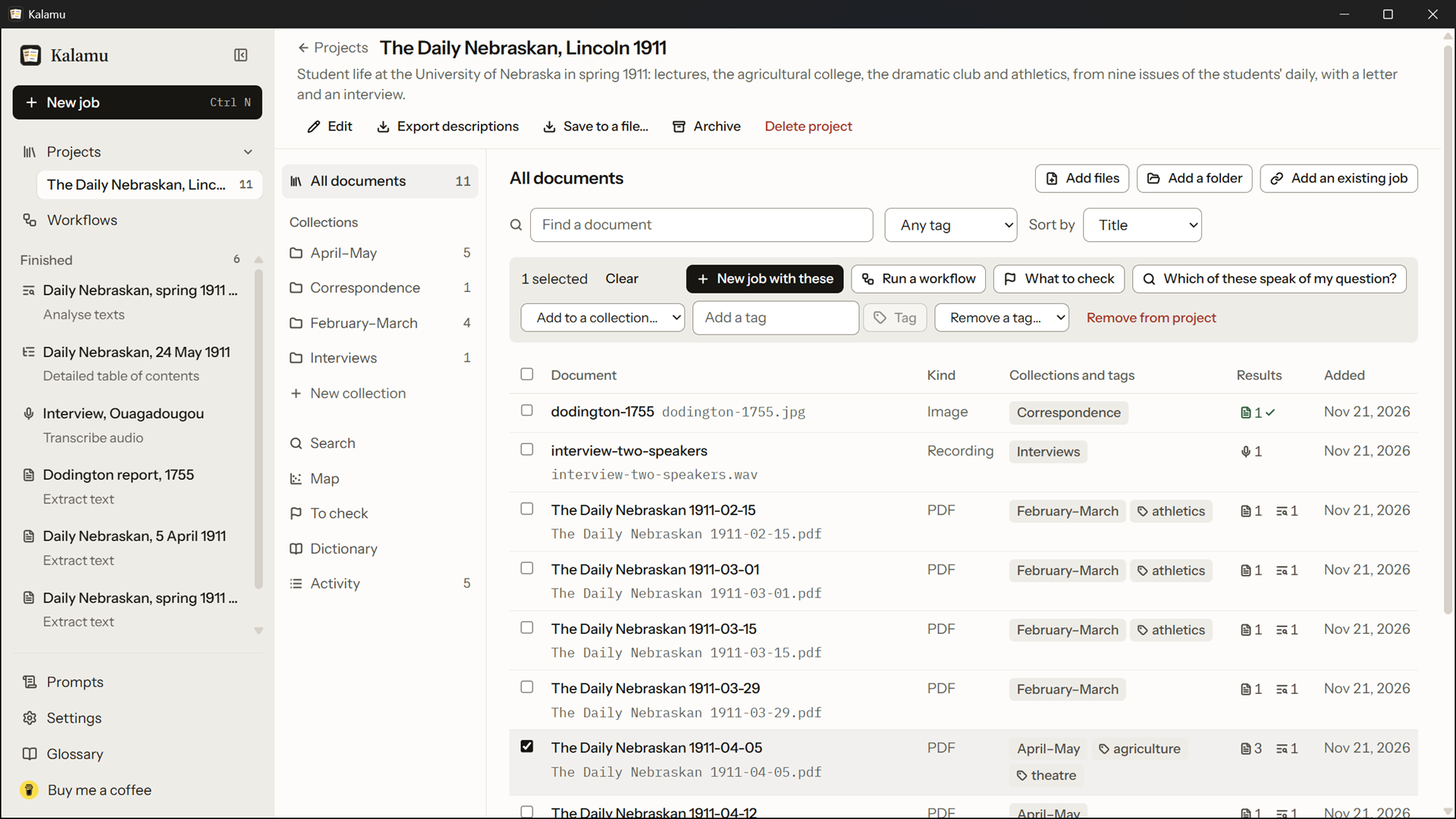
 A project’s documents, each with its extractions, transcriptions and analyses.
Documents and collections
A project holds documents. A document is a source (a PDF, a folder of photographs, a recording) with every transcription, extraction and analysis made of it.
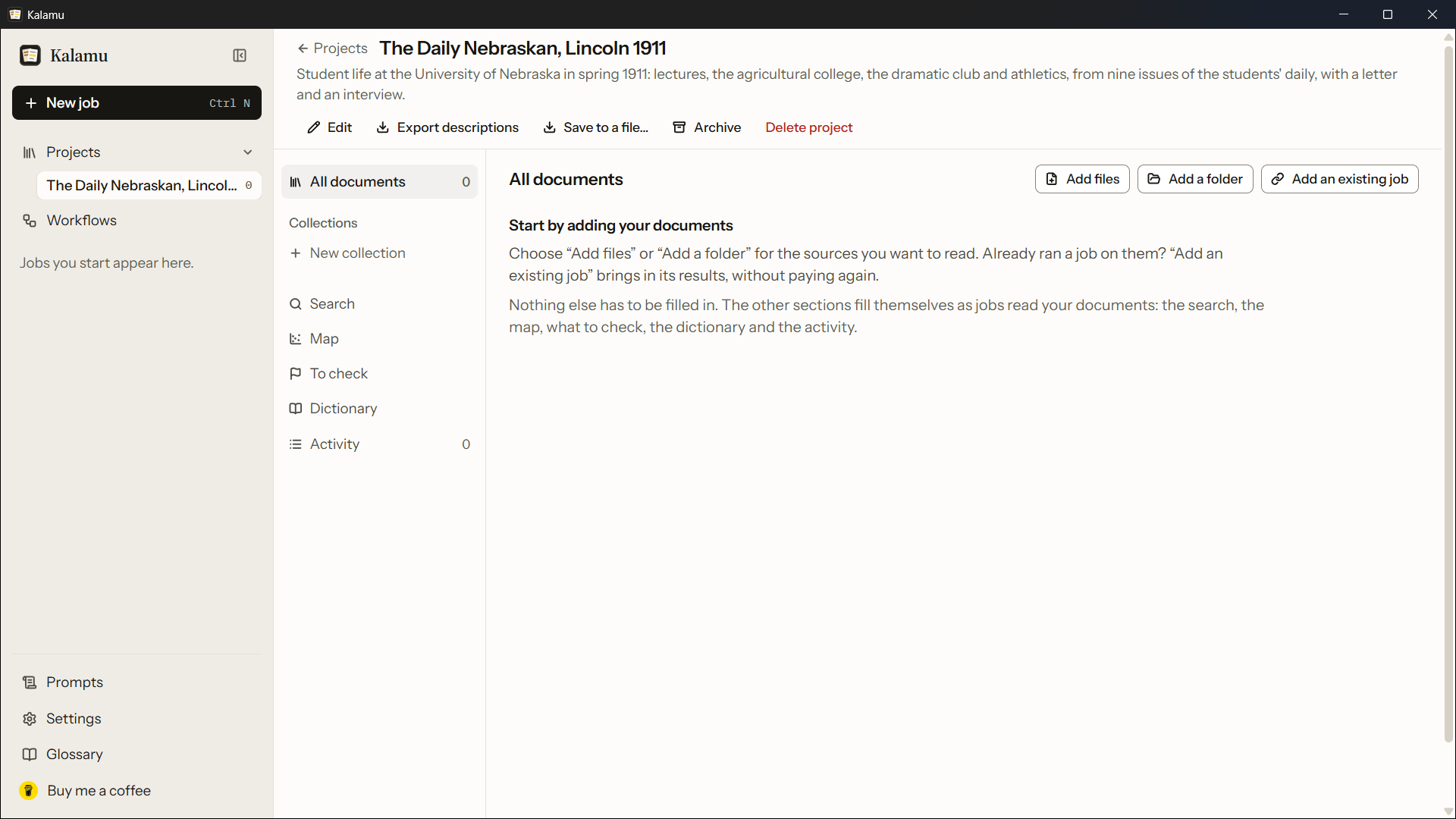 A new project starts by asking for its documents; the other sections fill themselves.
- Add files before reading them, or add jobs you already ran: nothing is paid again. You can also drag a finished job from the sidebar onto a project.
- Group documents in collections; one document can be in several. Tags work across collections.
- Start a job on a selection: tick some documents and run an extraction, an analysis or a workflow on them.
-
Ask which documents speak of your question: select documents that have already been read, choose Which of these speak of my question?, and type your research question (if you close the dialog without starting, Kalamu remembers your question until you reopen it). Each document comes back rated as relevant, partly relevant, not relevant, or unsure, with an explanation and verbatim passages with page numbers. Filter the table by rating, check the passages, and click Keep or Set aside: your decision is saved as a tag while the model’s rating stays untouched.
The tag uses the interface language (Kept or Set aside in English, Gardé or Écarté in French), and your decision persists if you switch languages in Settings or share the project file with a colleague working in the other language. If a document carries both tags, Kalamu shows Kept and set aside: choose one beside the buttons; clicking either settles it. Export the whole table writes a spreadsheet whose
job_idandprompt_fingerprintcolumns record which job and prompt version produced each answer. When you add documents later, Read the new documents against this question screens only the new ones. If you edited the prompt since first asking, Kalamu stores the new answers separately and lists both runs in the filter with their “first asked” date. - When a document has been read several times, mark the result you rely on as preferred. Search, exports and analyses then use that one.
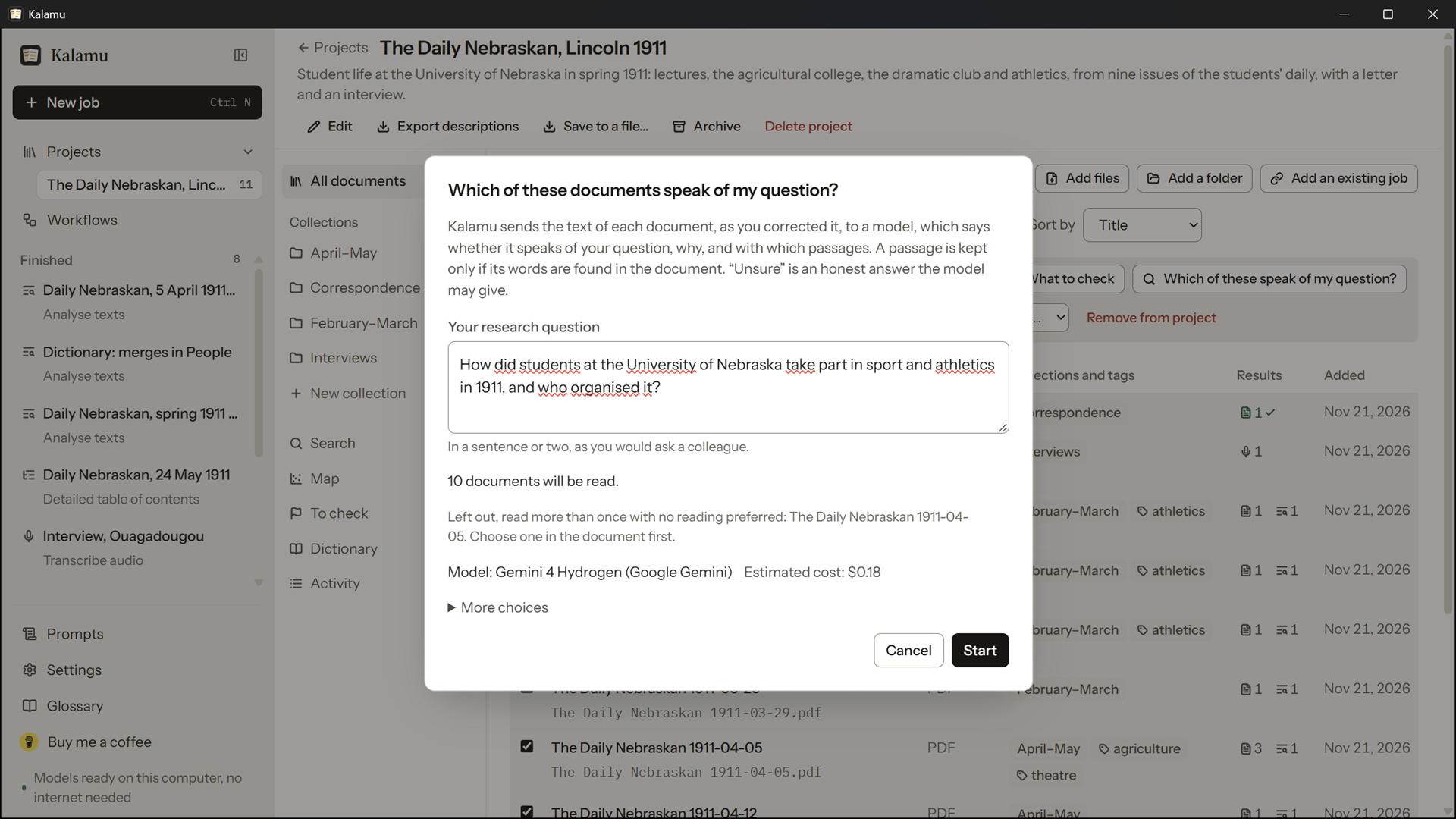 Which of these speak of my question? The question, how many documents will be read, and what it should cost.
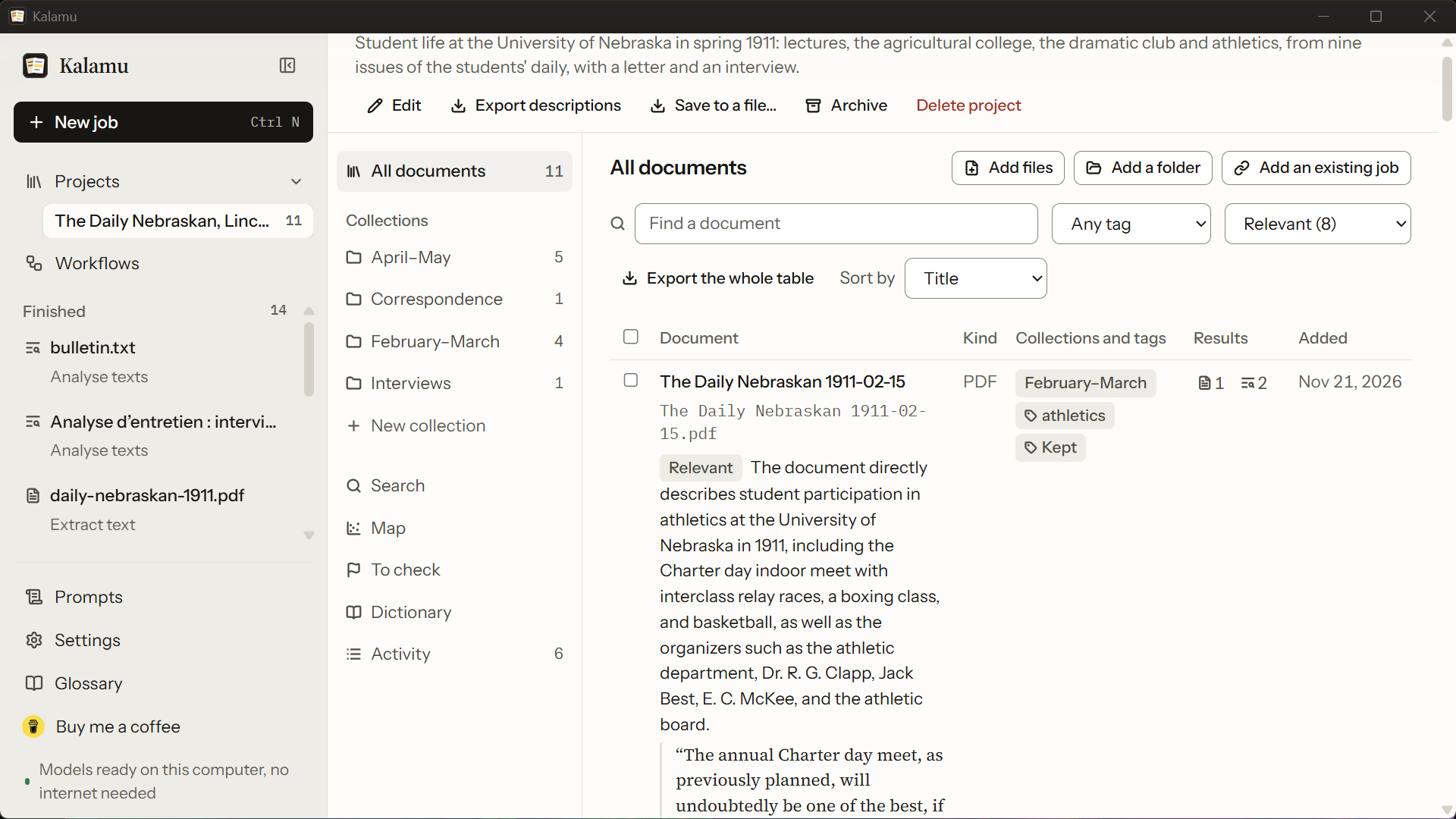 The answers in the table: each document’s answer, its reason, and the passages found in its text.
Save a project to a file
Save to a file… writes the whole project as one file ending in .kalamu: to open it on a
new computer, to give it to a colleague who shares the checking, or to keep a copy somewhere
safe. The file holds the text read from your documents, your corrections, what you marked as
checked, the tags, the descriptions and the dictionary. It never holds your API keys. Your
scans and recordings are left out unless you tick Include the original files; Kalamu
shows how large the file will be before it writes it.
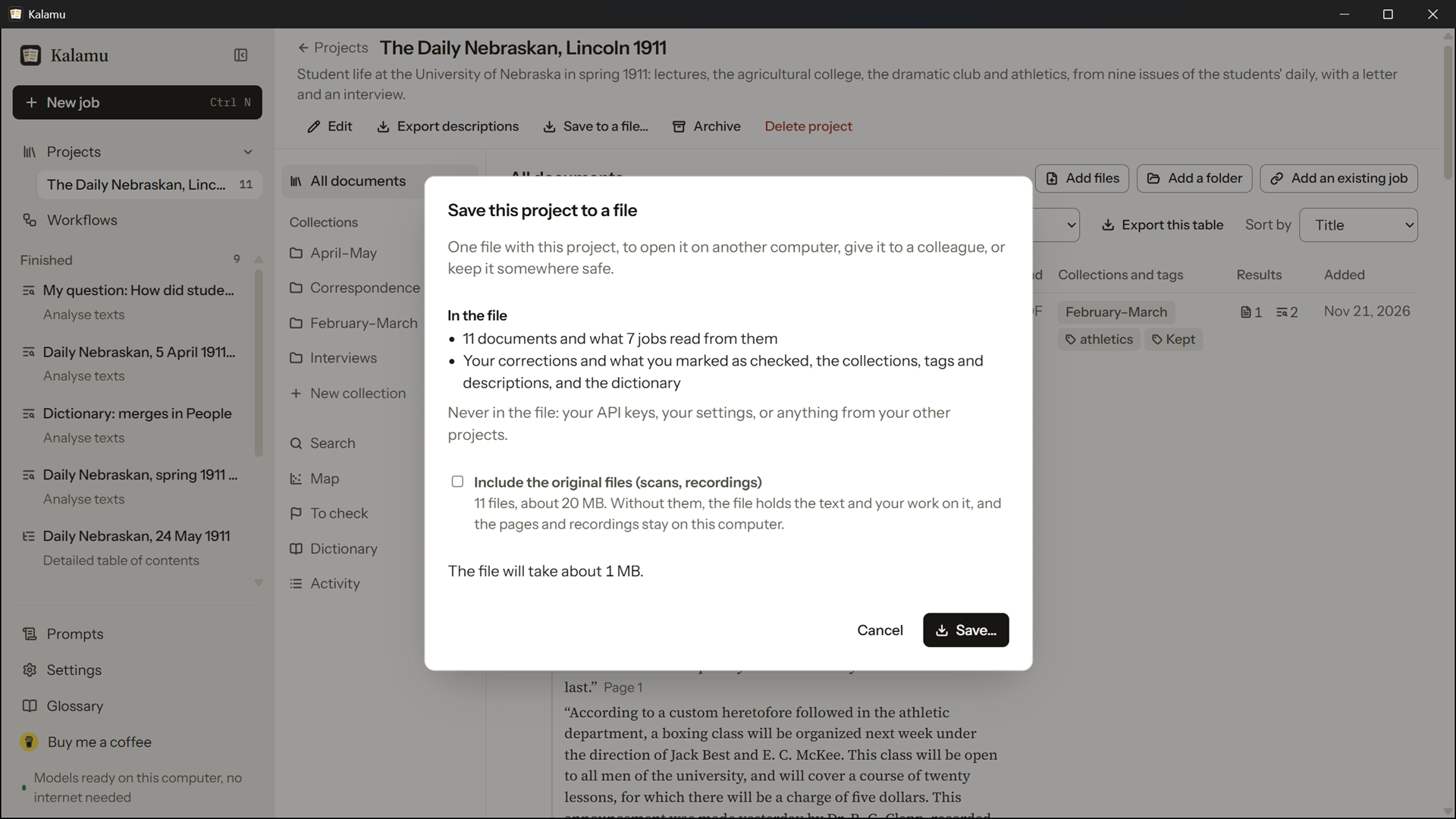 What goes into a project file, and what never does.
Before the file is finished, Kalamu checks each file it puts in against the fingerprint taken when it was read. When an analysis, a translation or a correction read the corrected text of an earlier result, Kalamu kept that text as it was then; if one of these texts is no longer in Kalamu’s data folder, or has changed since, the save stops and says which document and which job it concerns. Nothing is written in that case: a file you saved earlier under the same name stays as it was. An original file that cannot be found, or has changed, is simply left out, and the dialog says how many. Once the file is written, and before it takes its name, Kalamu reads it back and checks it, as Check a project file… does: the save ends with “The project is saved in … and checked: everything in it can be opened.” A file that does not check is not kept, the save says it could not be written, and a file you saved earlier under the same name stays as it was.
Check a project file
Before you rely on a project file as your only copy, or before you move to a new computer, choose Check a project file… in the list of projects, then the file. Kalamu reads it on your computer, without opening it as a project: nothing is sent, nothing is changed, and no project is added. It first gives a short verdict, such as “This file is whole: everything in it can be opened.”, then says:
- which version of Kalamu saved it, and how many documents and jobs it holds;
- whether every corrected text the jobs read is in it and intact; a file saved by Kalamu 1.10.0 may lack one, and the check names it with the jobs that read it;
- how many original files are in it and intact, whether it was saved without them, and how many could not be put in it;
- which documents will show as File missing on another computer, because their files are not in it;
- which original files would take another name on this computer, because the system does not accept their name as it is or another file already has it.
If a part of the file no longer matches what was saved (a copy cut short, a damaged disk), the check says “This file is damaged” and names that part: ask for the file again, or save it again. A file saved by a newer version of Kalamu is refused as when opening it.
On the other computer, Windows or Mac, choose Open a project file… in the list of projects. It opens as a new project beside the others: nothing you already have is changed. When the file holds the original files, Kalamu copies them into its data folder, in a folder of the new project’s own. Delete project removes them with it, and says so before you confirm; the jobs the file brought keep their results and show those files as missing. Files you keep elsewhere are never touched. Anyone who has the file can read everything in it, so look after it as you do the documents. A file saved by Kalamu 1.10.0 may lack one of these corrected texts: it still opens, and the message shown after opening names each text missing and the jobs that read it. Their results are kept, but the text they read is not there.
Describe your sources
Each document can be described as an archive would describe it: repository, fonds, shelfmark,
creator, date, citation, rights. What all the documents of a project share is given once for
the project. Export descriptions writes them as three files under the name you choose: a
JSON file (name.json), a spreadsheet for Excel (name.xlsx) and a CSV (name.csv), in
Kalamu’s columns or in columns of your own that you can save for the next project, beside each
document’s corrected text, review status or analysis answers.
Only the JSON file’s name is asked about. If a spreadsheet or a CSV of yours already has that
name in the folder, Kalamu leaves it as it is, writes the table as name (2).xlsx and
name (2).csv, and tells you so. Files from an earlier export of Kalamu that you have not
changed since are simply replaced. Export the whole table, Export the list and the
dictionary’s export keep your files in the same way.
Search a project
Search finds every passage across the project’s documents that matches your words in the text as you corrected it. Capitals, accents, and Arabic diacritics are ignored. Search for words anywhere on a page or within a few words of one another, and filter by collection, tag, task, or review state. Clicking any match opens its source at that exact passage. With Also search what models wrote about them: analyses and tables of contents ticked, matches in those answers are labelled Written by a model, and entries you added yourself are labelled Written by you.
Search runs locally on your computer and sends nothing. Alongside every search, Kalamu reports what was searched and what was not (unread documents, failed pages), so an empty result is never mistaken for absence.
Search by meaning, and the map
Keyword search finds exact wording. Meaning finds passages that discuss your topic in different words: searching for disputes over land can surface a passage about the quarrel about the plot beside the market.
Because it relies on numerical representations (embeddings) computed from your text, you prepare a project once:
- In the project’s Search, choose Meaning and select a model. EmbeddingGemma 2 runs locally after a one-time download in Settings › Offline models, sending nothing and costing nothing. Gemini, OpenAI, and Mistral are faster and inexpensive; before sending anything, Kalamu asks for confirmation and explains that the corrected text of your project’s documents (and each search query you type afterwards) will be sent to that provider.
- Kalamu displays an estimated preparation cost upfront. Start preparation; you can pause at any time and resume where you stopped.
- Type a question or description. Documents are ranked by their closest passage regardless of length, and clicking any passage opens its source at that spot.
After you correct text, Kalamu says how many pages changed and offers to update them. It never does so by itself with a paid model.
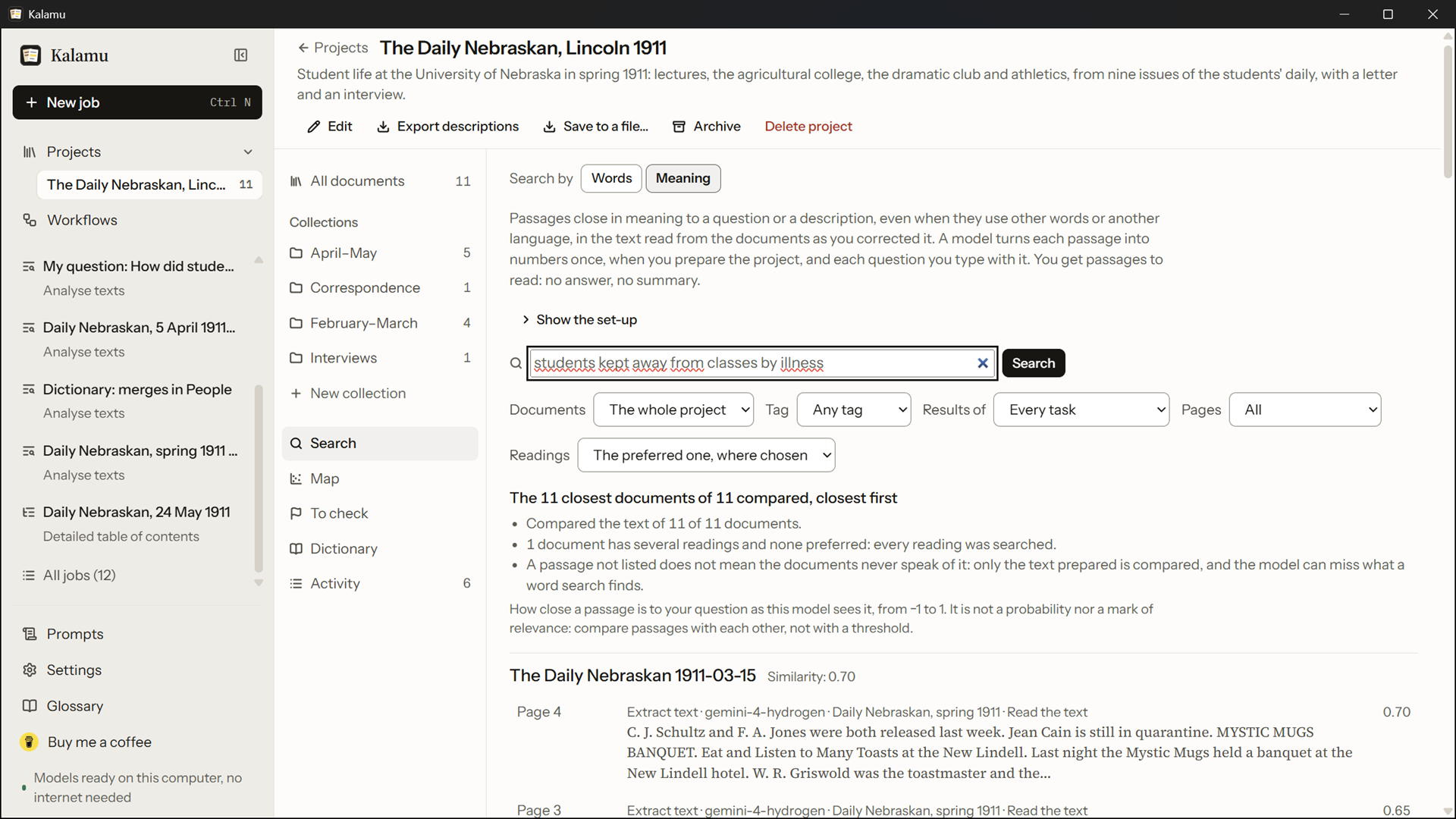 A question in your own words finds passages that say it in theirs, each with how close it is.
The Map shows each document of the project as a point, near the documents it resembles, grouped by collection or tag. Choose a point to see its nearest documents in the list beside it. Read it as a way in, not as a result: positions are approximate, the axes mean nothing, and a long document’s point is an average of everything in it. Documents that sit almost on one another are drawn a little apart, in a small ring; zoom in to see them at their own places.
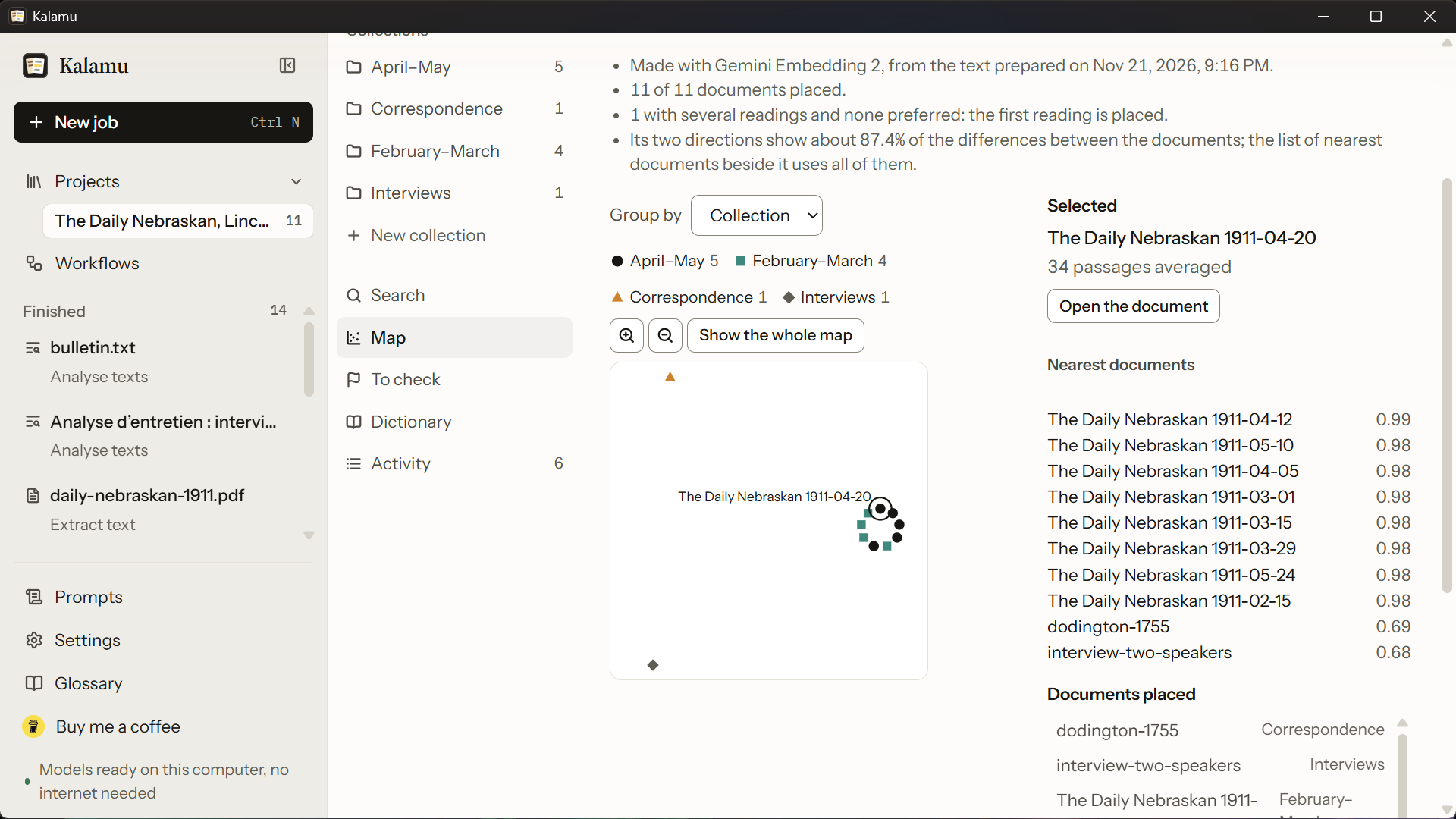 The map: a document chosen, and the documents nearest to it.
There are no answers and no chat. The search by meaning shows you where to read; the reading stays yours.
The dictionary
The people, places, organisations and terms your analyses listed are gathered in the project’s Dictionary. The same person is often spelled several ways (a transliteration, initials, surname first); the dictionary lets you gather those spellings into one entry under the label you choose.
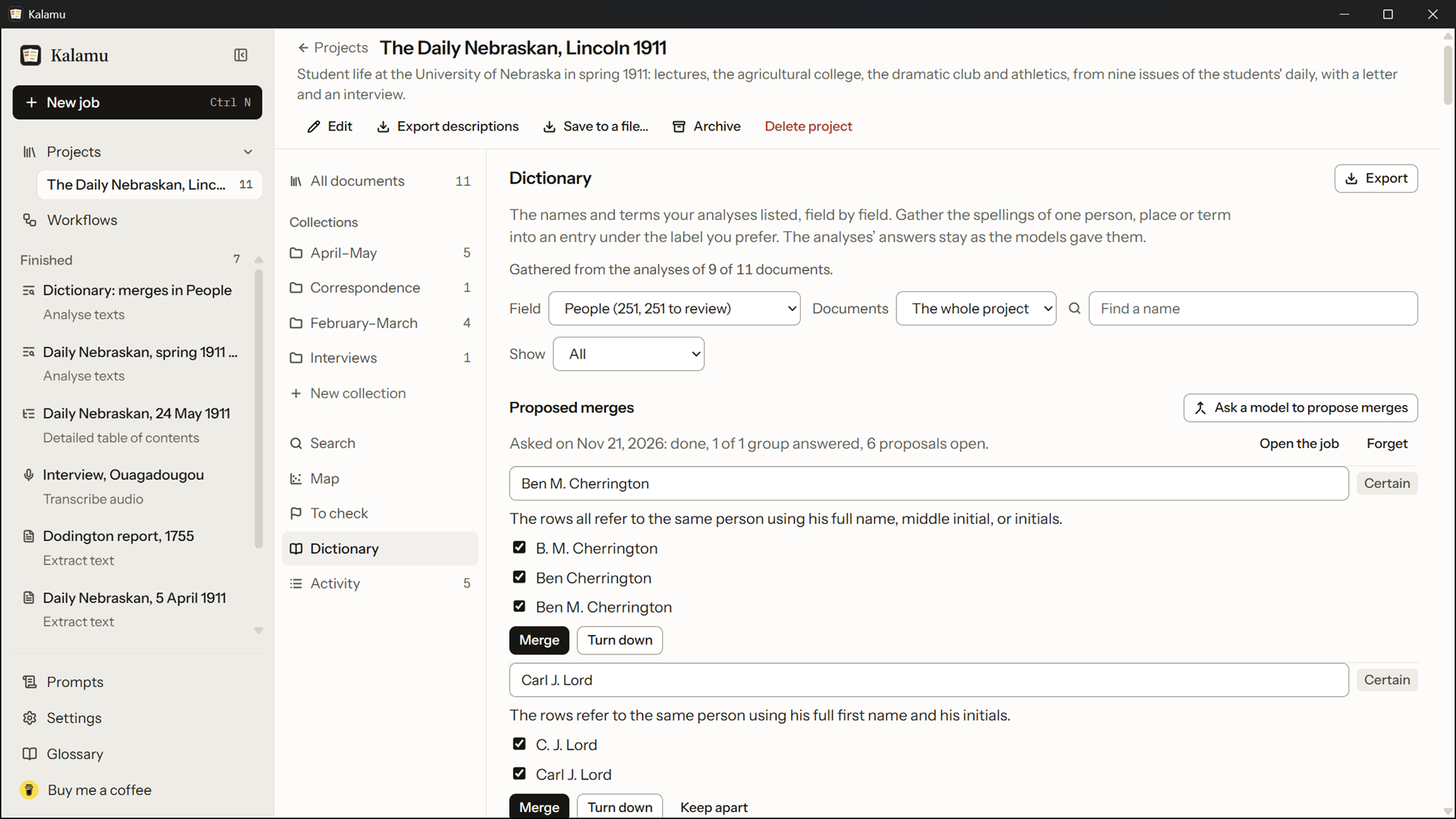 The dictionary: spellings gathered into entries, with merges a model proposed.
- You can merge entries by hand, or ask a model to propose merges. A proposal is only ever a proposal: you accept it, change it or turn it down, and two names you decided to keep apart are not proposed again.
- Exports can give analysis answers as the model wrote them or under your dictionary’s labels.
- A new analysis can be given the names already in the dictionary, so it spells them your way.
What to check
What to check is one list, across the whole project, of the pages and answers that need you: those that failed or were cut off, those two models read differently, analyses read from a text you corrected since, and what is not yet reviewed. Each line opens its review at the right page, on the model’s reading it names: in a comparison, that reading is the one shown first, which you correct and mark as reviewed, the others compared with it. Nothing is sent to a model to build it.
For a large project that cannot be reviewed in full, draw a random sample of pages to review, of a size you choose. The sample is drawn from a seed that Kalamu shows, so a colleague can draw the same pages, and you can export the list as a record of what was checked.