Extract text
For printed and handwritten documents as PDFs or images. Lines can be kept as on the page or joined into running text. Pages are read one at a time or several together, and always reviewed page by page.
Offline, Tesseract reads clean print for free and gives each word its place on the page. For degraded print, old newspapers in columns and tables, two small OCR vision models also run offline. See Working offline.
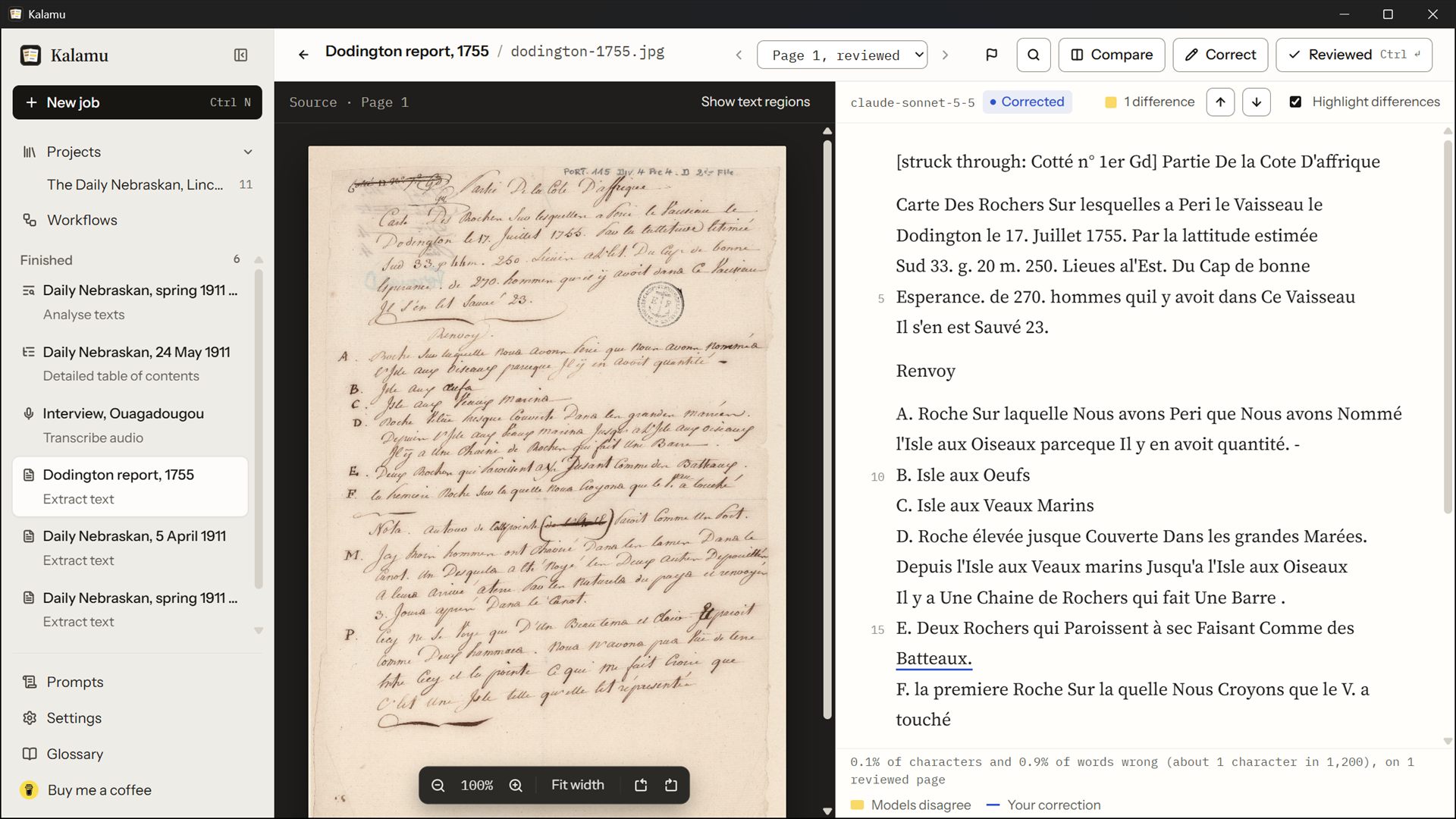 Handwriting, read by a cloud model and checked against the page.
Transcribe audio and video
Transcribe audio takes recordings and video files on your computer (MP3, M4A, WAV, MP4) and returns the text with speakers and timestamps. In the cloud, or offline with Whisper, which skips silence and music. In the review, the player follows the text: choose a line to hear it. Speakers can be given their real names once, for the whole recording.
Transcribe YouTube takes the links of public videos and transcribes them with Gemini. Nothing is downloaded to your computer.
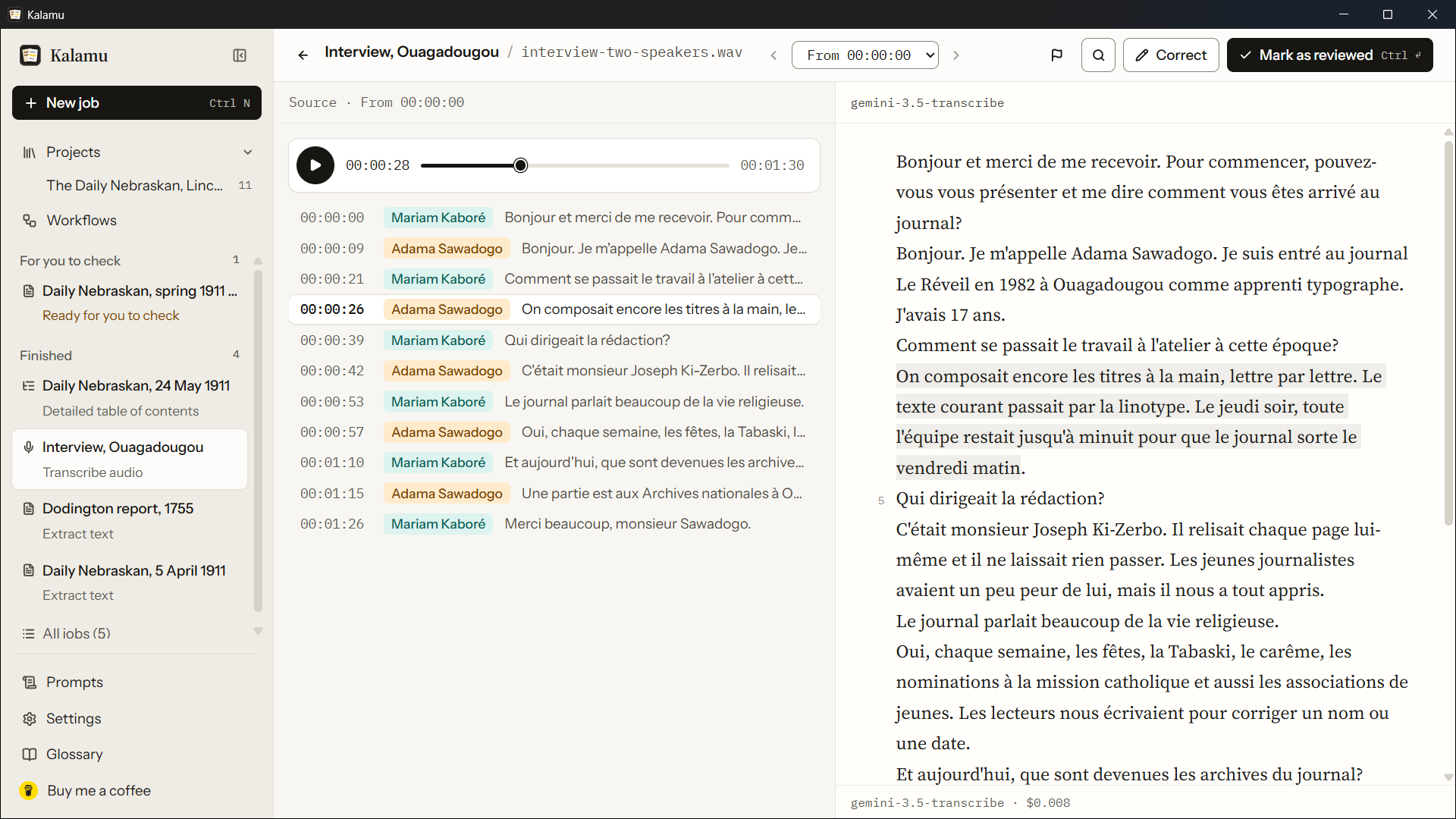 A transcript: speakers, timestamps, and the recording to listen to while you check.
Analyse texts
An analysis asks the same questions of every document and returns the answers in fields you define: a summary, the people, places and organisations named, the tone with a reason, themes from your own list. It reads text files, Word files, PDFs, and the results of earlier jobs.
Ready-made analyses cover common needs, among them:
- a summary with keywords;
- people, places and organisations;
- the question, argument, methods and findings of a scholarly publication, for a literature review;
- Image description and keywords, for photographs, posters, maps and other images with little or no text: what is visibly there, the kind of image, and keywords.
Under Prompts, the field editor lets you write your own: name each field, say what kind of answer it takes (a text, a list, a choice from your own list), and describe what you want.
Each text is sent whole, so it must fit in what the model reads at once: about 11,000 words for the offline Gemma 4 models, far more for the cloud models. A text that does not fit is named above Start in New job, and Start stays off until you choose another model or split the text, for example: long-text.txt is too long for Gemma 4 E2B: about 48,000 words, where it reads about 11,000 at once. Choose another model, or split the text into shorter documents. Nothing is sent and no job is made. An interview is read in parts instead (below).
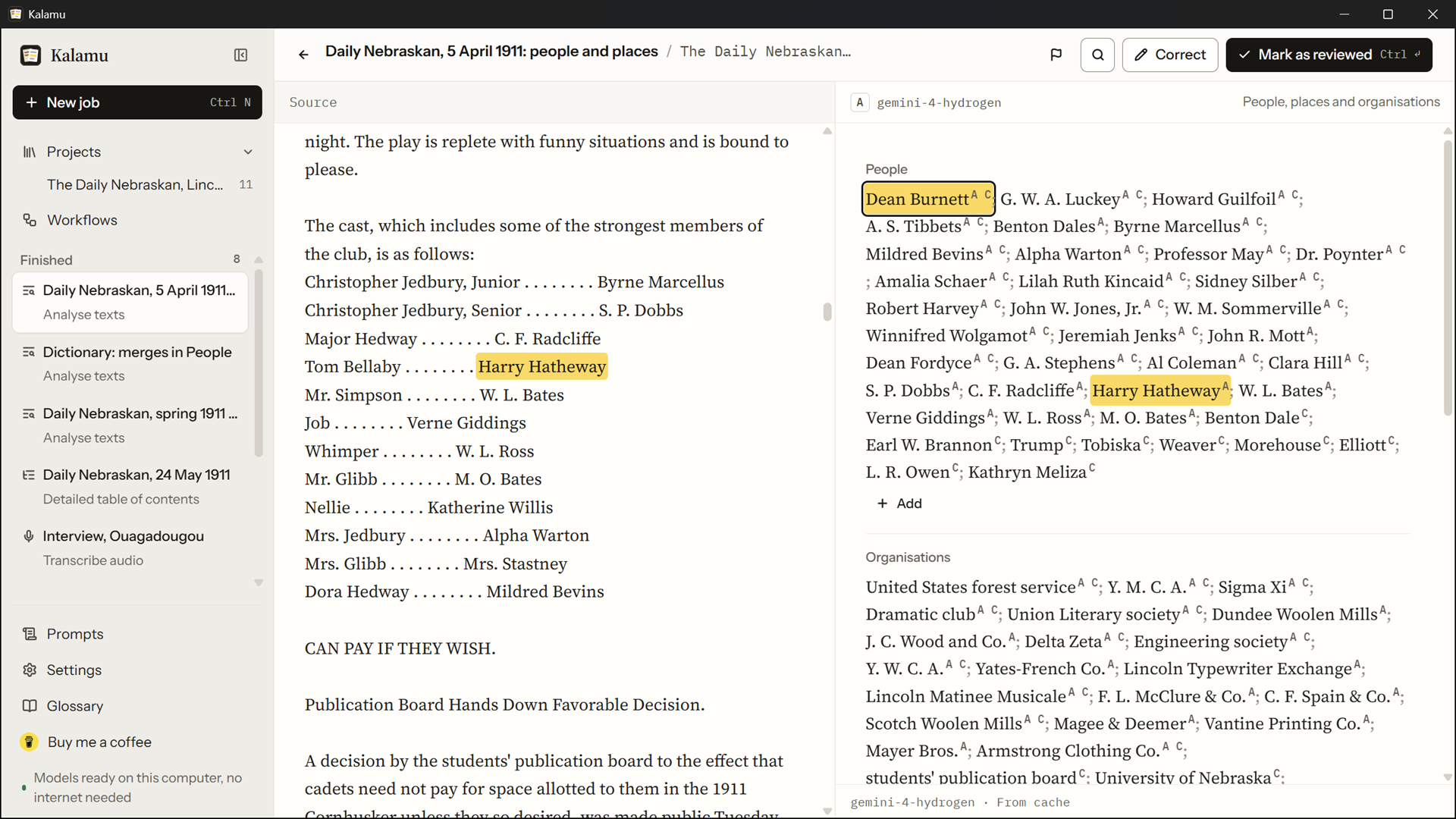 An analysis, field by field, with the document it was read from.
An interview
An interview is analysed from its transcript. In the transcript’s review, choose Use this text in a new job, then Analyse this interview. One box asks What is your research about?: a sentence or two helps the model pick out what matters to your work, and it may be left empty. Tick Keep this for my next interviews to find it there next time. The model and the estimated cost are said in one line; press Analyse. Closed without analysing (with Cancel or Esc), the dialog keeps what you typed until you open it again, as long as Kalamu stays open.
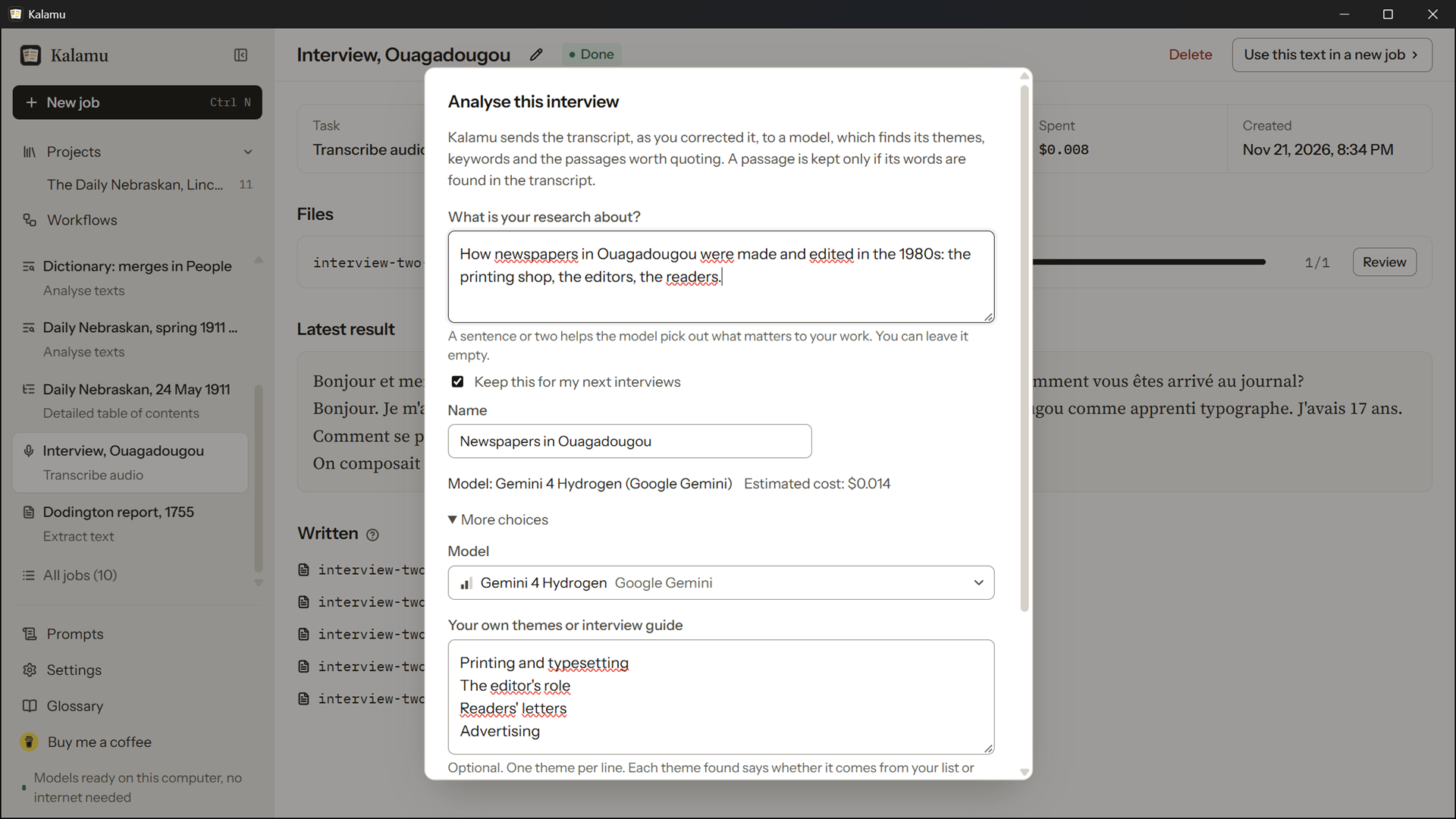 Analyse this interview, with More choices open: the model and your own themes.
Under More choices you can change the model, and type Your own themes or interview guide, one theme per line. Each theme in the answer then says whether it comes from your list or emerged from the interview, and a theme of yours the interview does not take up is listed as missing rather than backed with weak quotations. An interview too long for the model to read at once is read in parts, then brought together; Kalamu says so beside the cost.
The answer gives a summary, themes, keywords and passages worth quoting, each with who speaks
and when: Check an analysis says how to check it. Beside the
transcript, Kalamu writes a Markdown memo (each quotation with its speaker and time), a JSON
file, and two tables, each as a spreadsheet for Excel (.xlsx) and as a CSV: the answer’s
.analysis.xlsx and .analysis.csv, and .analysis.quotations.xlsx and
.analysis.quotations.csv, one row per quotation, with a column saying whether you added it.
The formats you chose in Settings are written as well.
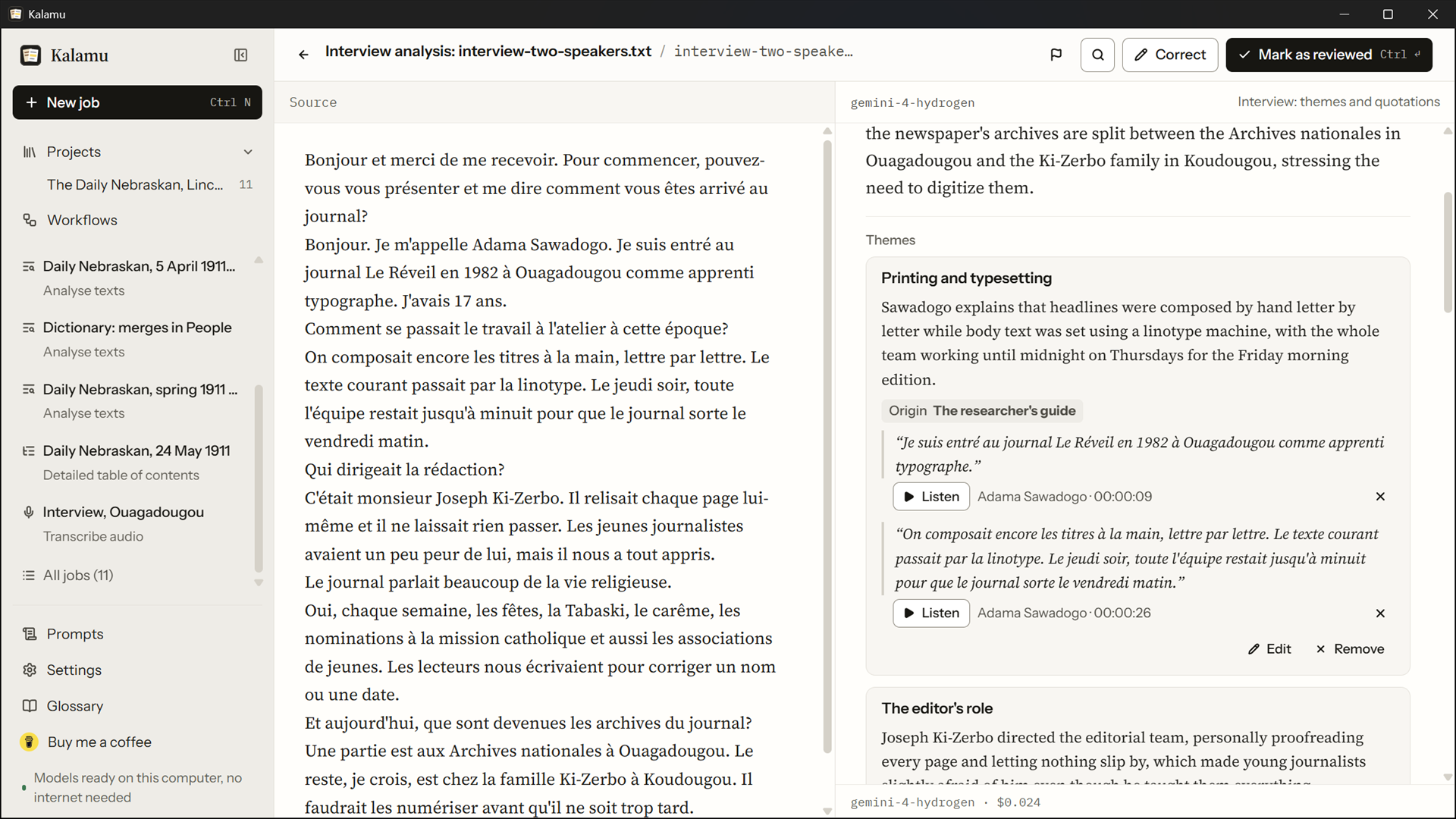 Each theme says whether it comes from your guide, and each quotation can be heard where it is spoken.
A register or a directory as a table
An analysis set to One row per entry reads each page of a directory, a register or a list into one row per entry, in the columns you define (surname, trade, address; date, name, place). You check and correct each row beside its page and export one spreadsheet.
Make a detailed table of contents
For a long document scanned in one piece: a newspaper or magazine issue, an archival file, a book or a report. One model reads each page; a second, cheaper one combines the pages into one entry per article or item, with its pages, authors, date or summary. Each entry can then become an item of its own, whose pages are extracted, analysed or exported apart from the rest.
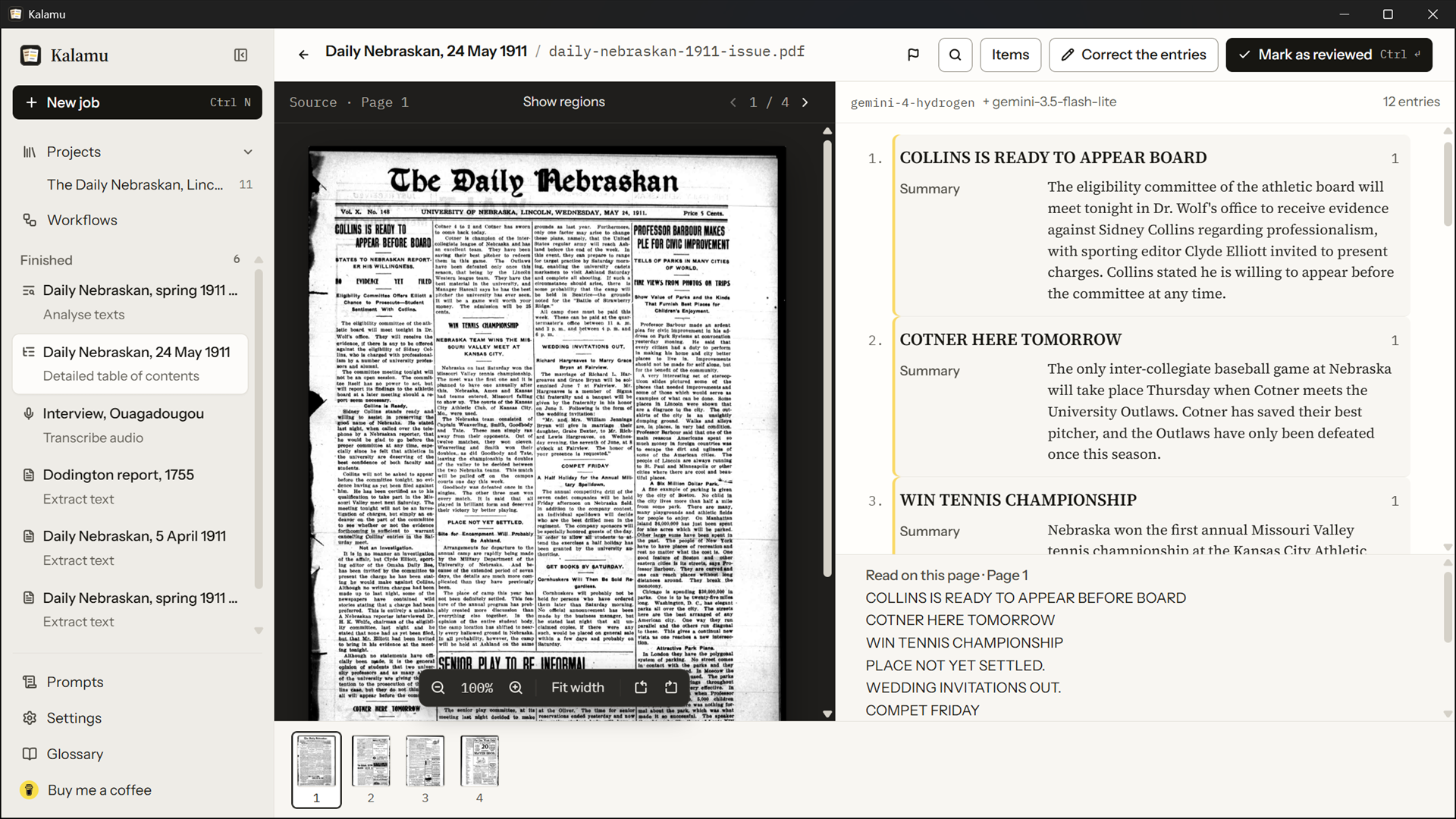 A newspaper issue, one entry per article with its pages.
Correct existing text
For text that a machine already read badly: the text layer of a PDF, or a text file from a digital library. A model corrects it page by page, keeping the spelling and wording of the time, and every change is shown against the original so you can accept it with open eyes. Choose Printed document or newspaper for printed text, Handwritten document or manuscript for a transcription of handwriting.
Translate a text
Translate a text file, a PDF text layer, or your corrected output from an earlier job into your chosen language, page by page, without summarising or omitting content and keeping proper names as written. The review screen displays the translation beside its source.
One job after another
Any text you have checked can go straight into a new job with Use this text in a new job: analyse it, correct it, or translate it, without reading the files again.
When you repeat the same chain often, save it:
- a pipeline is a job’s settings (task, model, prompt, options) saved under a name, to start the next batch in one click and to export for a methods section;
- a workflow runs several pipelines one after another on a folder or on a selection of a project’s documents, pausing where you asked to check the text first. Each step is a job of its own, and running a workflow again pays only for the steps that changed.
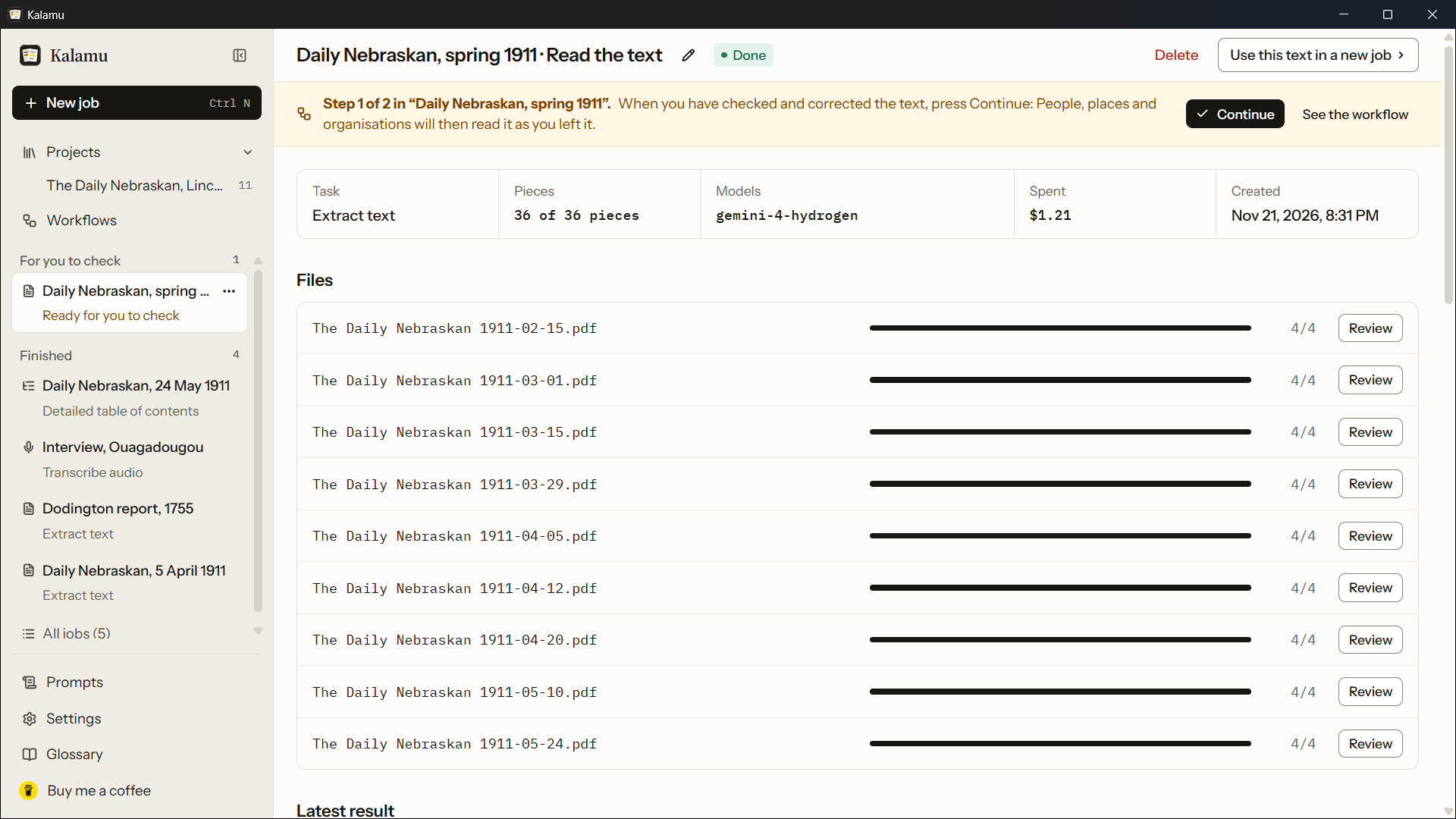 A workflow: extract, check, then analyse.